What Is AI Digital Marketing? Your Complete Guide (And Why You Should Care)

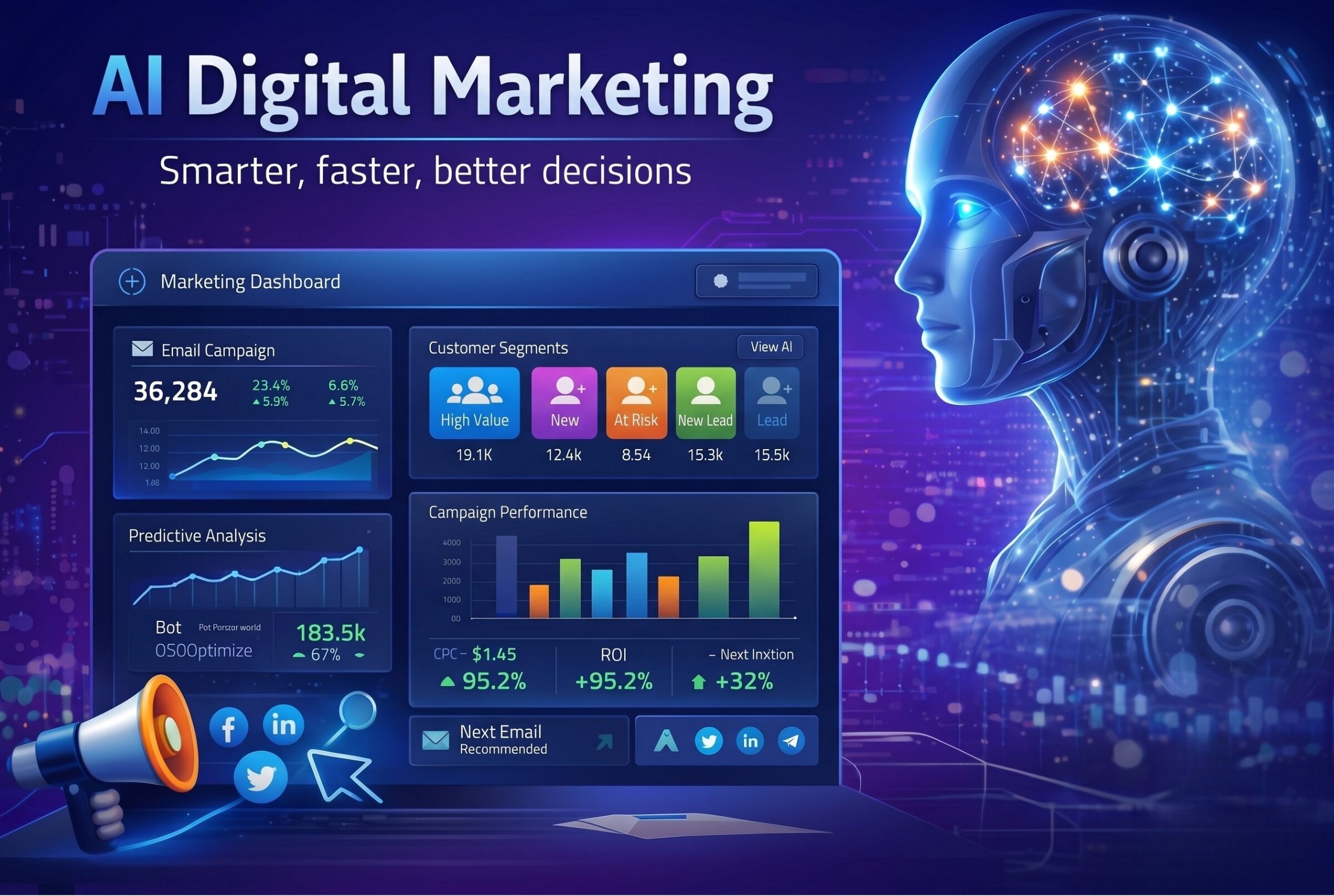
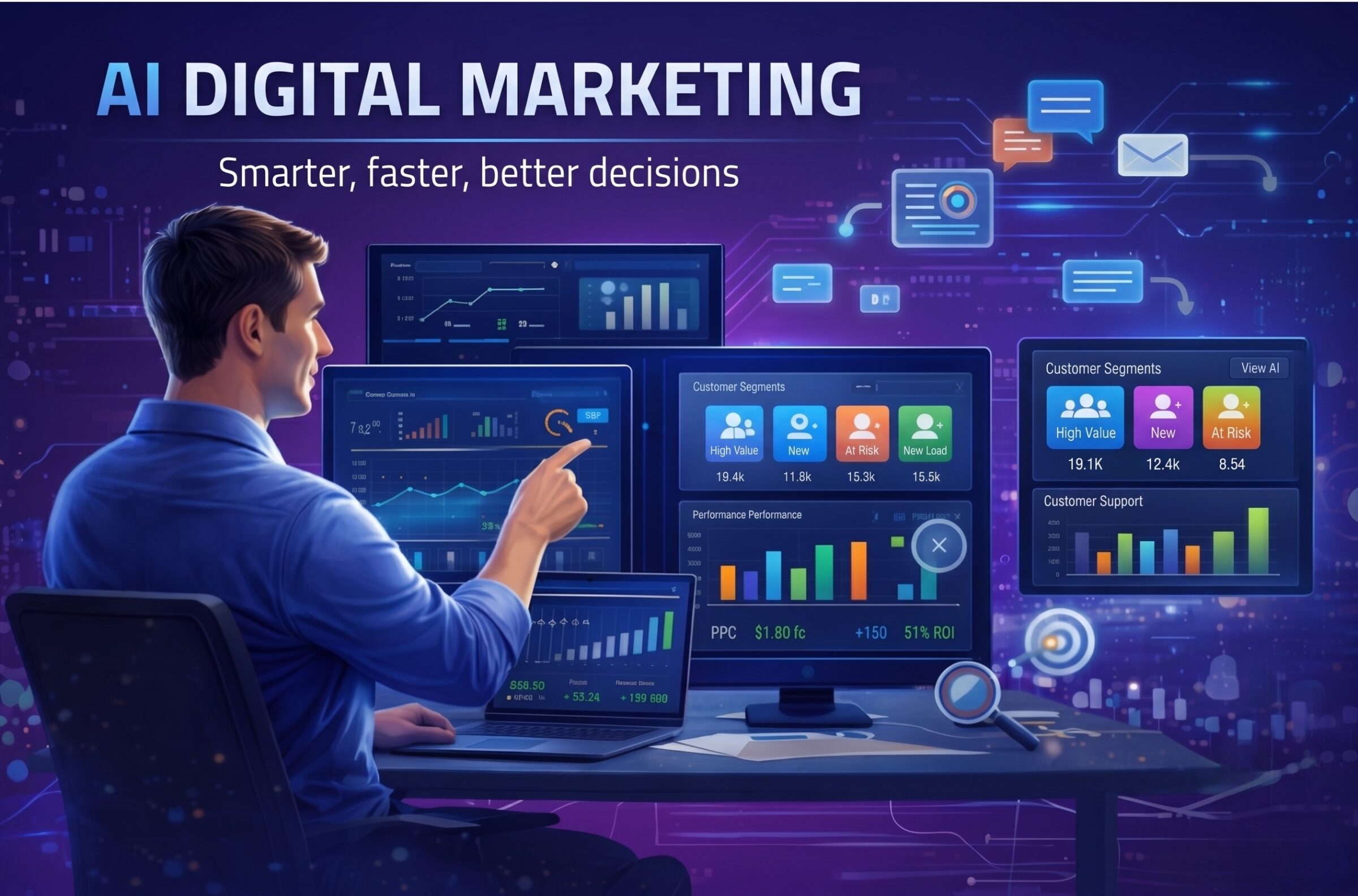
A futuristic graphic titled "AI Digital Marketing: Smarter, faster, better decisions," showing a glowing robotic profile looking at a laptop displaying a marketing analytics dashboard, alongside a megaphone and social media icons.

Last quarter, I watched one of our client campaigns go from idea to fully optimized, AI-powered execution in a single afternoon. Normally, that process would have taken weeks with planning, A/B testing, manual audience segmentation, and endless spreadsheet work. AI digital marketing made it possible in just a couple hours.

AI is changing how marketers make decisions, personalize content, and connect with customers. From predictive analytics to automated content generation, AI is transforming marketing into a data-driven, creative powerhouse.

At bgood media, we have been hands-on with AI marketing tools across industries, including finance, wellness, and travel, and we have seen how it accelerates campaigns, drives smarter targeting, and uncovers opportunities that might otherwise be missed. 

Whether you’re a CMO trying to stay ahead of the curve, a small business owner wondering if this AI stuff is worth the hype, or a marketer worried about your job security (spoiler: you’ll be fine), this guide will break down everything you need to know about AI digital marketing.

What is AI Digital Marketing? The Simple Definition

AI digital marketing uses artificial intelligence to help businesses plan, execute, and optimize their marketing efforts. Instead of relying solely on human intuition and manual processes, AI tools analyze data, spot patterns, and make recommendations, or even take actions automatically.

At its core, AI digital marketing combines machine learning, data analysis, and automation to deliver smarter campaigns. That means everything from predicting which products a customer is likely to buy, to personalizing email content, to automatically adjusting ad bids in real-time. Unlike traditional marketing, which depends on manual research, repetitive tasks, and broad targeting, AI marketing gives you insights and capabilities at scale, often faster than a human team could manage.

Put simply, AI digital marketing doesn’t replace human creativity, it supercharges it. You still set the goals, shape the brand, and make strategic decisions, but AI handles the heavy lifting of data crunching, pattern recognition, and repetitive execution.

How AI Digital Marketing Actually Works

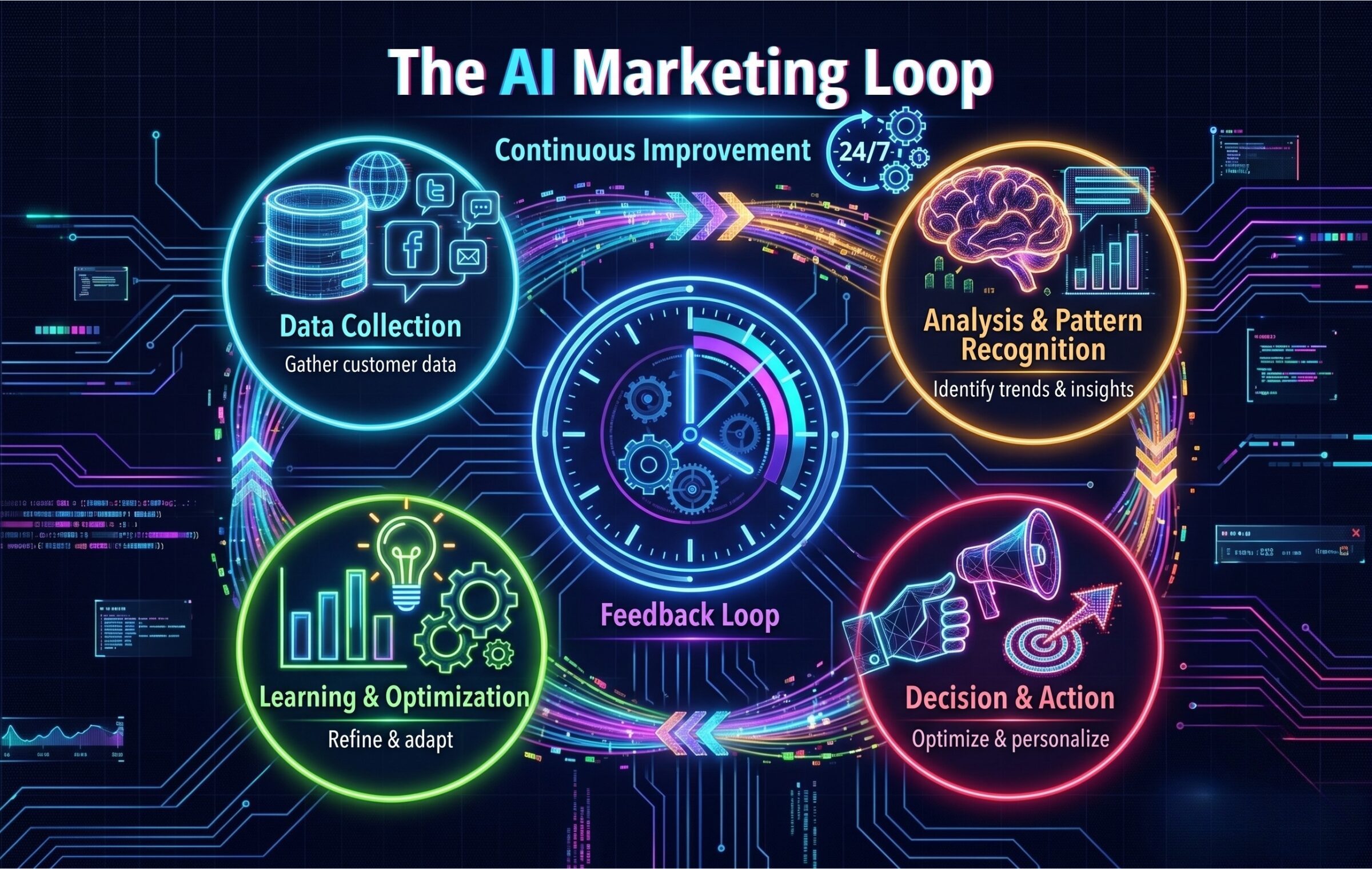
Here’s where it gets interesting. AI marketing operates in what I call “the continuous improvement loop,” and once you understand this, everything else clicks into place.

A glowing neon infographic titled 'The AI Marketing Loop' by bgood media, showing a continuous cycle of Data Collection, Analysis & Pattern Recognition, Decision & Action, and Learning & Optimization surrounding a central Feedback Loop clock on a dark cybernetic background.

Step 1: Data Collection
AI systems gather data from every customer touchpoint, website behavior, email interactions, social media engagement, purchase history, search patterns, even the time of day someone typically browses your site. (We’re talking hundreds or thousands of data points per customer.)

Step 2: Analysis & Pattern Recognition
Predictive analytics is where machine learning flexes its muscles. The AI analyzes all that data to identify patterns humans would never spot. It can use natural language processing (NLP) to analyze social media posts, customer reviews, or email responses to understand sentiment, intent, and emerging trends. For example, NLP might detect that customers mentioning “hard to use” in product reviews often churn within 30 days, or that certain email phrases like “need help” predict high engagement with support content. The AI finds these hidden correlations.

Step 3: Decision Making & Action
Based on those data patterns, the AI makes real-time decisions. It might automatically adjust your ad bid for a high-value customer segment, personalize website content for a returning visitor, or trigger a specific email sequence based on browsing behavior. This happens in milliseconds.

Step 4: Continuous Learning & Real-Time Optimization
Here’s the magic: every outcome feeds back into the system. The AI learns what worked and what didn’t, continuously refining its approach. That campaign that underperformed? The AI has already adjusted its strategy for next time.

This entire loop happens continuously, 24/7, across all your marketing channels simultaneously. It’s like having a thousand expert marketers working around the clock, each one learning from the others.

The difference between this and traditional campaign management is night and day. We used to launch campaigns, wait weeks for enough data, manually analyze spreadsheets, make adjustments, and repeat. Now, AI tools are testing, learning, and optimizing while we sleep.

Key Applications of AI in Digital Marketing

Here’s where AI is making the biggest impact right now, and how we’re using it at bgood media:

Content Creation and Optimization
AI writing tools can generate first drafts, suggest headlines, optimize content for SEO, and even analyze which topics will resonate with your audience before you write a single word. We use AI to identify content gaps, predict trending topics, and A/B test hundreds of headline variations. 

Personalization and Customer Segmentation
Gone are the days of blasting the same message to everyone. AI analyzes individual user behavior to create micro-segments (sometimes segments of one) and delivers personalized experiences. Product recommendations, dynamic website content, customized email campaigns, AI makes true one-to-one marketing possible at scale.

Predictive Analytics and Forecasting
AI can predict which leads are most likely to convert, which customers are at risk of churning, and what your ROI will be before you spend a dollar. We’ve used predictive models to identify high-value prospects, letting sales teams focus their energy where it matters most.

Marketing Automation
Smart automation goes way beyond scheduled social posts. AI-powered automation can trigger complex, multi-channel workflows based on customer behavior, automatically allocate budget across campaigns for maximum ROI, and adjust sending times for each individual subscriber based on when they’re most likely to engage.

Chatbots and Customer Service
Modern AI chatbots don’t just answer FAQs, they understand context, remember previous conversations, qualify leads while you sleep, and seamlessly hand off to humans when needed. 

Ad Targeting and Optimization
AI has revolutionized paid advertising. Platforms like Google and Meta use machine learning to automatically optimize bids, identify lookalike audiences, predict which creative will perform best, and prevent ad fatigue by rotating content. We’ve seen cost-per-acquisition drop significantly just from letting AI handle bid optimization.

SEO and Voice Search
AI tools now help with keyword research that actually understands search intent, content optimization that goes beyond keyword density, technical SEO audits that would take humans days, and voice search optimization as more people ask Alexa and Siri for recommendations.

Real-World Examples and Results

Numbers tell the story better than I ever could.

Netflix uses AI to personalize everything from thumbnail images to content recommendations. Their algorithm saves them $1 billion annually in customer retention. That’s not a typo. Billion with a B! According to Netflix’s own analysis, over 80% of what subscribers watch comes from personalized recommendations, not search—a testament to how effective AI-powered personalization can be.

Spotify creates personalized playlists like Discover Weekly using machine learning to analyze your listening habits, the listening habits of people with similar tastes, and the acoustic properties of songs themselves. Discover Weekly has generated over 100 billion streams since its 2015 launch, igniting over 56 million new artist discoveries every week. The playlist accounts for roughly 20% of Spotify’s total streaming volume—a massive impact from one AI-powered feature.

Sephora implemented an AI chatbot and Virtual Artist tool that provides personalized makeup recommendations and virtual try-ons. By 2018, the Virtual Artist saw over 200 million shades tried on, and customers who used these AI tools were 3 times more likely to complete a purchase than those who didn’t. The company’s e-commerce sales grew from $580 million in 2016 to over $3 billion in 2022 as a direct result of their AI investments.

The North Face partnered with IBM Watson to create an AI shopping assistant that asks customers about their needs and recommends products based on natural language conversations. During their pilot program, the tool achieved a 60% click-through rate to recommended products, with 75% of users saying they would use it again.

As for the broader impact, McKinsey estimates that AI could deliver $1.4 to $2.6 trillion of value in marketing and sales globally. And research from Harvard Business Review shows that businesses using AI marketing tools report an average 50% increase in leads and appointments, with some seeing even more dramatic results.

We’ve seen similar transformations with our own clients. After implementing AI-powered personalization, their email conversion rates jump noticably. Predictive analytics also help us identify clients’ most valuable customer segments, leading to higher customer lifetime value.

The Benefits of AI Marketing (Why Everyone’s Talking About It)

Let me be straight with you about why AI marketing has become non-negotiable for staying competitive.

Speed and Efficiency That Feels Like Magic

Tasks that used to take hours now take minutes. Campaign optimizations that required quarterly reviews now happen in real-time. I can set up complex automation workflows in an afternoon that would’ve taken a team weeks to build and manage manually. This frees up your team to focus on strategy, creativity, and the human stuff that actually moves the needle.

Personalization at Scale

You can now deliver Netflix-level personalization whether you have 100 customers or 100 million. Every visitor gets a unique experience tailored to their interests, behavior, and stage in the buyer journey. This level of relevance was simply impossible before AI.

Data-Driven Decisions (No More Guessing)

Instead of debating which campaign approach might work better, AI tells you with statistical confidence. Instead of wondering which customers to prioritize, predictive models rank them by likelihood to convert. The guesswork disappears, replaced by data-backed insights.

Serious Cost Savings

Between reduced manual labor, better ad spend efficiency, improved conversion rates, and lower customer acquisition costs, AI typically pays for itself several times over. We’ve seen clients cut their cost per lead in half while actually increasing lead volume.

The Competitive Advantage

Here’s the uncomfortable truth, your competitors are probably already using AI. The businesses that embrace these tools early are pulling ahead fast. The gap between AI-powered marketing and traditional approaches is widening every month.

Challenges and Limitations (The Stuff Nobody Wants to Talk About)

Okay, real talk time. AI marketing isn’t a magic wand, and anyone telling you otherwise is selling something.

Data Quality Is Everything

AI is only as good as the data you feed it. Garbage in, garbage out, as they say. If your data is incomplete, outdated, or biased, your AI will make flawed decisions. We’ve seen companies rush into AI tools only to realize their data infrastructure wasn’t ready. You need to fix your data foundation first.

The Learning Curve Is Real

AI tools need time to learn and optimize. Don’t expect perfect results on day one. Most AI systems need at least a few weeks (sometimes months) of data before they really hit their stride. This means patience is not optional.

Privacy, Compliance, & AI Marketing Ethics

With great data comes great responsibility. GDPR, CCPA, and other privacy regulations mean you need to be extremely careful about how you collect, store, and use customer data. AI makes it easier to personalize, but also easier to accidentally violate privacy laws if you’re not careful. Beyond legal compliance, AI marketing ethics requires thoughtful consideration of how you use customer data and whether your AI applications respect user privacy and autonomy.

AI Can Be Biased
Machine learning algorithms learn from historical data, which means they can perpetuate existing biases. If your past marketing inadvertently favored certain demographics, AI might amplify that bias. You need humans in the loop to catch and correct these issues.

“Black Hat” AI Is Here

Bad actors can deliberately poison AI systems to misrepresent brands or suppress competitors in AI-generated results. Research shows it takes surprisingly few malicious documents to create these “backdoors.” It’s a new frontier of black hat tactics that marketers need to defend against. We’ve covered AI poisoning and how to protect your brand in depth if this concerns you.

The Generic Content Problem

AI-generated content can sometimes feel… soulless. Generic. Like it was written by a very smart robot (because it was). This applies to everything from blog posts to entire AI-generated websites that might look decent but lack strategic strength. AI is getting better fast, but you still need human creativity to inject personality, brand voice, and emotional resonance into your marketing.

When AI Isn’t the Answer

Some marketing challenges require human judgment, creativity, and strategic thinking that AI can’t replicate. Brand positioning, crisis management, relationship building, creative breakthroughs, these still need humans driving the bus.

Will AI Replace Digital Marketers?

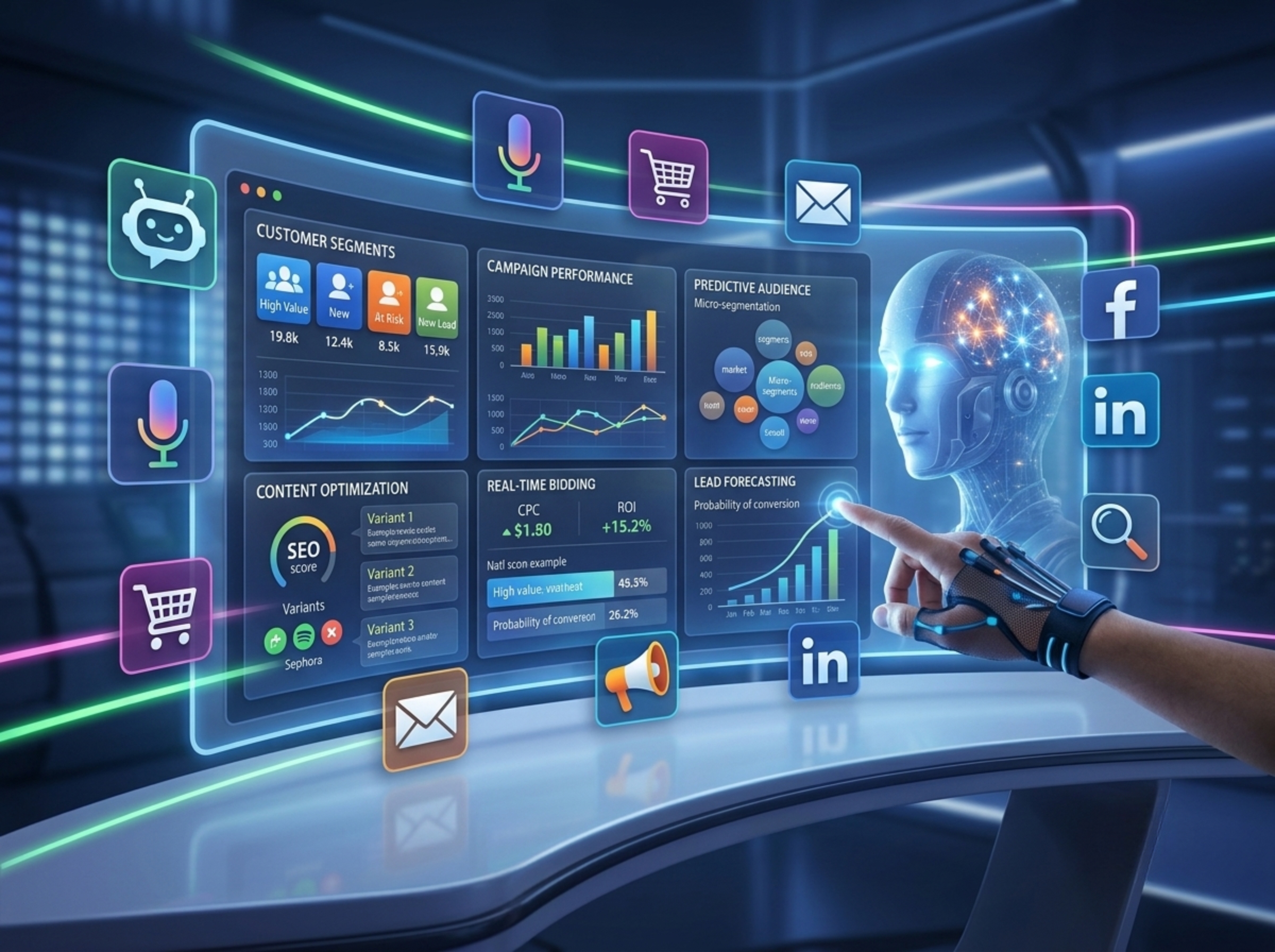
A professional sitting at a desk pointing at data dashboards while collaborating with a glowing holographic AI assistant, representing human-AI integration in marketing and data analytics.

I get asked this question at least once a week, usually with a hint of anxiety in the person’s voice.

Short answer: No. But your job will change, and that’s actually exciting.

Here’s the thing: AI is incredibly good at processing data, identifying patterns, automating repetitive tasks, and optimizing within defined parameters. You know what it’s terrible at? Understanding nuanced human emotions and motivations, developing creative brand strategies, building authentic relationships, making judgment calls in ambiguous situations, and innovating beyond existing patterns.

The future of marketing isn’t human versus AI. It’s human plus AI.

Think of it this way: calculators didn’t replace accountants, they just freed them from manual calculations so they could focus on strategy and analysis. Word processors didn’t replace writers, they made them more productive. AI won’t replace marketers, it’ll handle the tedious stuff so we can focus on the strategic, creative, and interpersonal work that actually requires human intelligence.

The most successful marketers I know are the ones who’ve embraced AI as a superpower. They use AI for data analysis, automation, and optimization, which frees them up to spend more time on creative strategy, building relationships, understanding customer psychology, and the kind of innovative thinking that creates breakthrough campaigns.

The Skills You Actually Need

Instead of worrying about being replaced, focus on developing these AI-era marketing skills: strategic thinking and business acumen, creative problem-solving, emotional intelligence and empathy, critical thinking to evaluate AI outputs, basic understanding of how AI works (you don’t need to code), and adaptability to learn new tools quickly.

The emerging role of the AI marketing strategist combines traditional marketing expertise with the ability to leverage AI tools effectively, bridging human creativity with machine intelligence.

How to Use AI Marketing: Getting Started (Without Losing Your Mind)

Alright, so you’re convinced AI marketing is worth exploring. Now what?

Start Small and Specific

Don’t try to revolutionize everything at once. Pick one area where AI could have immediate impact. Maybe it’s automating your email personalization, or using AI for better ad targeting, or implementing a chatbot for common customer questions. Get a win, learn from it, then expand.

Practical First Steps

Begin by auditing your current data (is it clean, accessible, and sufficient?), identifying your biggest marketing time-sinks (these are prime AI automation candidates), and talking to your team about pain points and inefficiencies. Then research tools that specifically address those issues rather than looking for an all-in-one solution.

Tools to Try

For beginners, there are great free AI marketing tools and low-cost options: ChatGPT for content ideation and drafting, Claude for market research and business development ideation, HubSpot’s free CRM with AI features, Google Analytics’ predictive metrics, Mailchimp’s send-time optimization.

As you scale up, consider platforms like Jasper for content, Seventh Sense for email optimization, Persado for copy optimization, or Acquisio for paid ad management.

Common Mistakes to Avoid

  1. Don’t set it and forget it! AI needs ongoing monitoring and adjustment. 
  2. Don’t trust AI outputs blindly; always apply human judgment. 
  3. Don’t neglect data privacy compliance. 
  4. Don’t expect instant miracles; give AI time to learn. 
  5. And please, don’t use AI to spam people with garbage emails or text messages. We all know it’s AI and we hate it.

When to Bring in the Experts

Look, I’m biased here, but there are times when DIY isn’t the best approach. If you’re spending more time figuring out tools than actually marketing, if you’ve hit a plateau with your current efforts, if you’re making significant budget investments in AI tools, or if you need a comprehensive AI strategy across multiple channels, that’s when it makes sense to work with people who live and breathe this stuff.

At bgood media, we’ve spent years testing tools, making mistakes, and figuring out what actually works versus what’s just hype. Sometimes the ROI of working with specialists who can fast-track your success just makes sense.

Frequently Asked Questions

What’s the difference between AI marketing and digital marketing?

Digital marketing is the broad category that includes all online marketing efforts, SEO, social media, email, paid ads, content marketing, etc. AI marketing is digital marketing supercharged with artificial intelligence to make it smarter and more efficient. You can do digital marketing without AI (people did for years), but AI marketing is always a subset of digital marketing.

Do I need to know coding to use AI marketing tools?

Absolutely not. Most modern AI marketing tools are designed for marketers, not developers. They have user-friendly interfaces, visual workflows, and plenty of templates. You need to understand marketing fundamentals and be willing to learn new software, but you don’t need to write a single line of code.

How much does AI marketing cost?

This varies wildly. Some AI features are built into tools you might already use (like Google Ads or Facebook Ads) at no extra cost. Standalone AI tools can range from free tiers to $50-500+ per month for small businesses, up to enterprise solutions costing thousands monthly. However, you can start with free or low-cost tools and scale up as you see ROI.

What are the best AI marketing tools?

The “best” tool depends on your specific needs, but here are some standouts: HubSpot for all-in-one marketing automation with AI, ChatGPT/Jasper for content creation, Seventh Sense for email send-time optimization, Acquisio for paid ad management, Drift for conversational marketing, and Persado for AI-powered copywriting.

Is AI marketing worth it for small businesses?

100% yes! And maybe even more so than for large enterprises. Small businesses typically have limited time and resources, which is exactly where AI delivers the biggest impact. You can compete with much larger competitors by using AI to personalize experiences, optimize ad spend, and automate time-consuming tasks. Many AI tools have affordable tiers specifically designed for small businesses. 

AI Marketing is Here to Stay

Here’s what I know after years of testing, implementing, and sometimes failing with AI marketing tools:

This isn’t a trend or a fad. AI has fundamentally changed how effective marketing works. The businesses that embrace these tools thoughtfully will have a massive advantage over those that don’t. But, and this is important, AI is a tool, not a replacement for strategic thinking, creativity, and genuine human connection.

The most exciting part is that we’re still in the early days. The AI marketing tools available today will look primitive in five years. The opportunities for businesses willing to experiment and adapt are enormous.

Your Next Steps
Start by picking one AI application that addresses a current pain point. Test it, measure the results, learn from the experience. Don’t try to boil the ocean. Small wins build confidence and competence.

And if you want to talk through your specific situation, whether you’re just exploring AI marketing or you’re ready to go all-in, we’d love to help. At bgood media, we’ve helped dozens of businesses navigate this AI transformation, and we’re kind of obsessed with figuring out what actually moves the needle versus what’s just shiny and new.

The future of marketing is human creativity amplified by artificial intelligence. Let’s make sure you’re ready for it.

Want to explore how AI could transform your specific marketing challenges? Let’s talk. We promise to skip the buzzwords and focus on what’ll actually work for your business.

What Is an MCP for AI Tools? (And Why It Changes Everything)

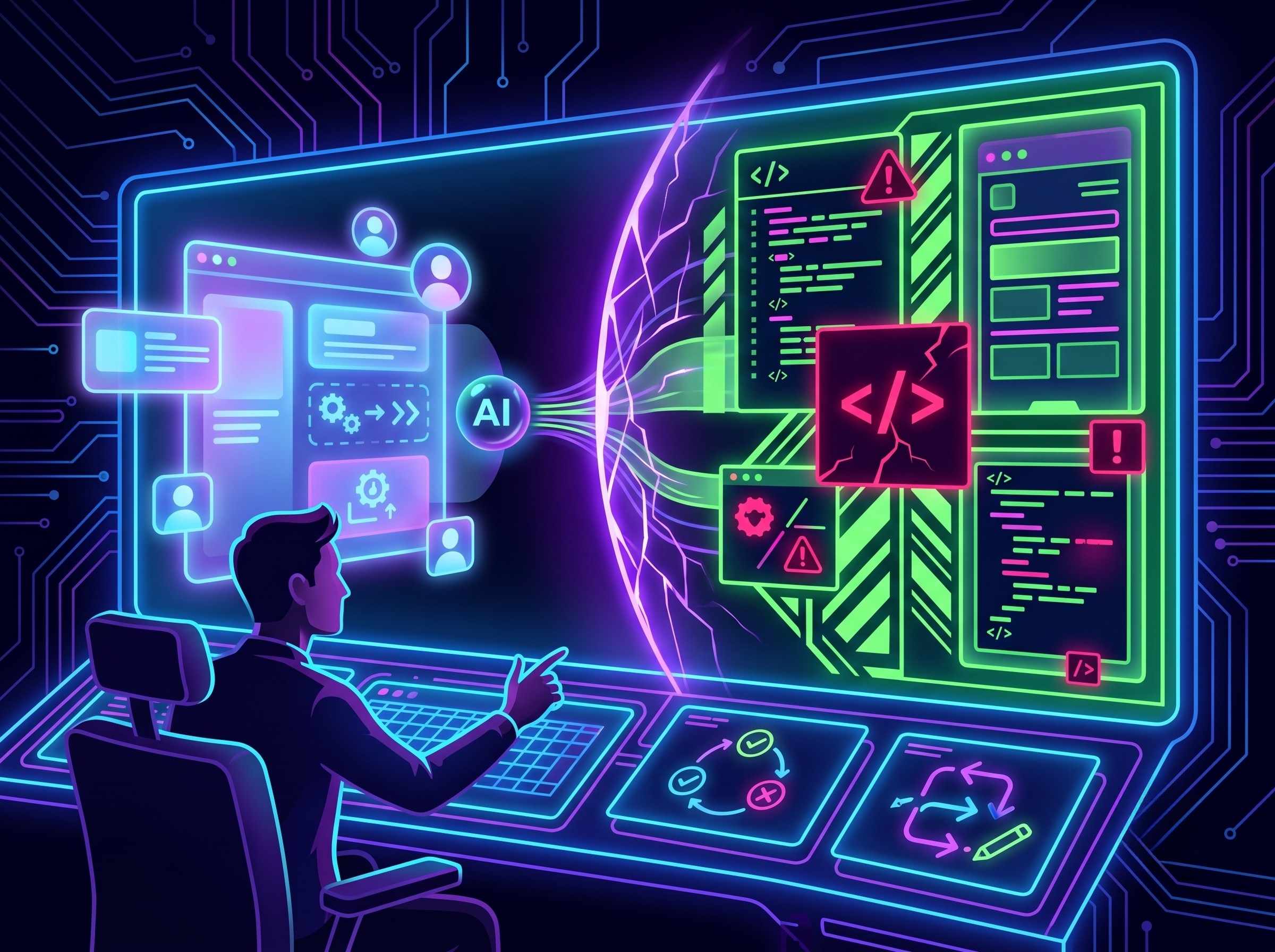
The first time I realized AI tools had a serious limitation, I was working with a client on their content strategy. I kept hitting the same wall: the AI agent (ChatGPT 3.5 at the time) couldn’t see their Google Drive files, couldn’t pull from their CRM, couldn’t check what was trending that morning. It was decent at writing, completely useless at looking. It’s like hiring a genius consultant and locking them in a room with no internet, no phone, and three-year-old notes.

MCP was built to fix that.

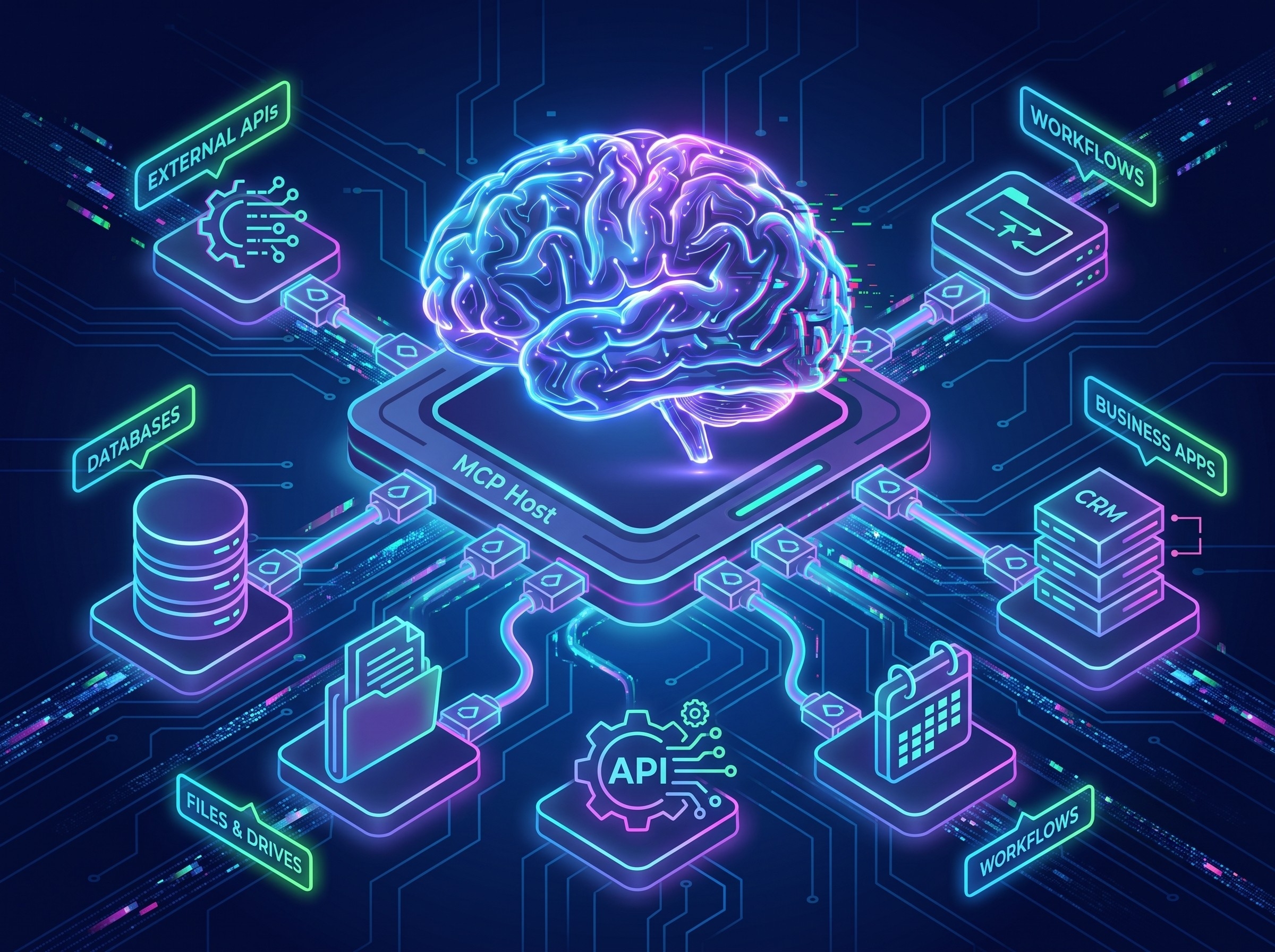
Model Context Protocol is the technology that lets AI tools break out of that isolated box and connect with the real world. Introduced by Anthropic in November 2024, it’s quickly becoming the universal standard for how AI LLMs communicate with external data, tools, and systems. OpenAI, Google DeepMind, and a growing list of developers have already adopted it.

I’ll break down what it means and how you should incorporate it into your AI LLM setup for your business. Trust me, you should have started this yesterday but it’s all good, the setup is super easy.

What Is MCP? 

MCP stands for “Model Context Protocol”. If you’ve been searching for a simple MCP AI definition or wondering what MCP AI looks like in practice, here it is in plain human English: it’s an open-source standard, a shared rulebook, that defines how AI models talk to external systems.

If you’re familiar with APIs at all, this essentially connects AI LLMs like ChatGPT and Claude to the API but it grants particular permissions to the AI agent that accesses the tools.

The best analogy is USB-C. Before USB-C, every device had its own connector: phones, tablets, laptops, all different. USB-C created one universal standard that works across all of them. MCP does the same thing for AI. Instead of every AI tool needing a custom, one-off connection to every data source or app, MCP provides one universal language that everything can speak.

Through MCP, an AI can connect to three main categories:

  • Data sources: files, databases, Google Drive, internal company wikis
  • Tools: search engines, calculators, code execution environments, APIs
  • Workflows: specialized prompts, templates, and automated sequences that guide the AI through complex tasks

MCP is the bridge between what AI knows from its training and what’s actually happening in your business right now.

The Problem MCP Solves

Large language models (AI LLMs) like Claude, ChatGPT, or Gemini are trained on a massive snapshot of information, and then that training stops. Without a live connection, they don’t know what’s in your company’s Slack, can’t see the spreadsheet you updated this morning, and can’t tell you what’s trending today.

This created what engineers call the NxM problem. If you have 10 AI tools and 10 data sources, you’d need 100 separate custom integrations (one for every combination). That’s an enormous amount of engineering work, and it scales about as well as you’d expect (it doesn’t). Every time something changes, the whole system is at risk.

The business cost is real, too. AI that can’t access current data gives outdated or hallucinated answers, which erodes trust fast.

MCP collapses that mess into a single standard. Build one MCP-compatible connector and your AI can work with any MCP-compatible tool or data source. One universal remote instead of a drawer full of 14 that all work slightly differently.

How MCP Works 

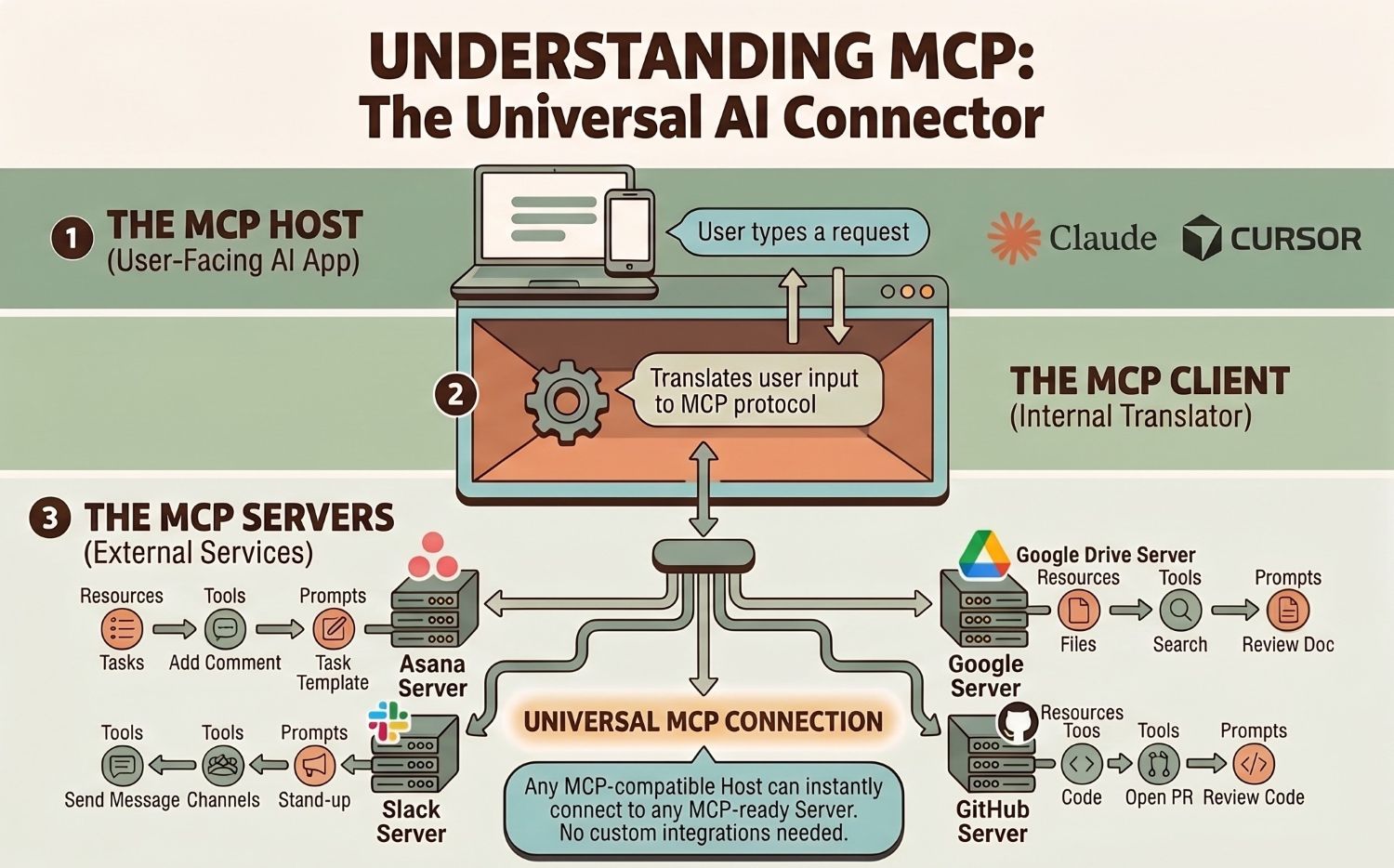
How does MCP actually work? The architecture has just three components, and none of them require an engineering degree to understand.

1: The MCP Host

This is the application where the AI lives, the thing you actually open and type into. Claude Desktop is a popular example: it’s Anthropic’s desktop app that supports MCP natively, letting you connect Claude to local files, databases, and external services right out of the box. ChatGPT’s interface and AI-powered coding tools like Cursor also function as MCP hosts.

2: The MCP Client

This is the translator built inside the host. It manages communication between the AI and the outside world, working entirely behind the scenes.

3: The MCP Server

This is the external service that makes data and capabilities available to the AI. Asana has one. So do Google Drive, Gmail, Slack, GitHub, and calendar apps. Any tool that builds an MCP server becomes instantly accessible to any MCP-compatible AI host, no custom integration required.

MCP servers expose three types of things to the AI:

  • Resources: data the AI can read, like files, database records, or documents
  • Tools: actions the AI can take, like running a search, submitting a form, or calling an API
  • Prompts: pre-built templates that guide the AI through specific tasks within that service

How MCP Works, 3 step process: MCP Host, Client, Servers

That three-part structure is what makes MCP servers so composable. A single host like Claude Desktop can connect to dozens of MCP servers simultaneously, mixing and matching resources, tools, and prompts across your entire stack.

Picture it this way: the Host is your office, the Client is your assistant, and the MCP servers are specialists in different departments. Need a file from legal? Your assistant goes to legal. Need data from finance? Finance. You never have to move, and your assistant already speaks everyone’s language.

The AI makes a request, the client routes it to the right server, the server returns what’s needed, and the result is back in your hands, often in seconds.

What Are MCP Servers, Exactly?

Since “MCP server” is the term you’ll encounter most often in the wild, it’s worth spending an extra minute on it. (It sounds more intimidating than it is, which is a proud tradition in tech naming.)

An MCP server is any service that’s been built to speak the MCP protocol. Think of it as a plugin that a tool publishes to make itself AI-accessible. When a company like Notion or Stripe builds an MCP server, they’re essentially saying: any AI that understands MCP can now talk to us.

The MCP server ecosystem is already substantial. There are MCP servers for development tools (GitHub, GitLab), productivity apps (Google Drive, Notion, Asana), databases (Postgres, SQLite), communication platforms (Slack, Gmail), and a growing list of SaaS products. Anthropic maintains a public registry, and the open-source community is building new MCP servers constantly.

For businesses, this means the question isn’t “can AI connect to our tools?”, increasingly, the answer is yes. The real question is which connections will actually move the needle for your team.

MCP vs. Other Approaches

If you’ve been following AI for a while, you might be wondering how MCP fits with things you’ve already heard of.

MCP vs. ChatGPT Plugins: Plugins were platform-locked. They only worked inside ChatGPT. MCP works across any AI tool that adopts the standard, which is a growing list.

MCP vs. Function Calling: Function calling lets AI trigger specific actions in code. MCP standardizes that capability so every developer works from the same framework, making integrations interoperable and reusable across tools.

MCP vs. Traditional APIs: APIs are powerful but rigid, they require specific technical knowledge to build and maintain. MCP is more dynamic, letting AI discover available tools and data at runtime rather than requiring everything hardcoded in advance.

MCP and OpenAI: OpenAI adopted MCP in early 2025, adding support across their platform and SDKs. That was a significant moment as it confirmed MCP as the cross-industry standard rather than an Anthropic-specific protocol. When OpenAI and Anthropic agree on something, the rest of the industry tends to follow.

MCP doesn’t compete with these approaches; rather, it organizes them under a common roof.

Real-World Use Cases

Once AI has real-world connections, a lot changes. Here are some of the coolest things you can do with MCP:

Personal AI Assistants That Actually Know Your Schedule

Ask your AI to prep you for tomorrow. With MCP connecting to Google Calendar, Notion, and your email, it pulls your actual schedule, summarizes relevant notes, and flags what needs attention,  without you copying and pasting anything.

Code Generation From Design Files

Developers are connecting AI tools directly to Figma through MCP. The AI reads the design specs and generates production-ready code. Work that used to take hours of manual translation now takes minutes.

Enterprise Chatbots With Real-Time Knowledge

An MCP-powered support chatbot can query your actual product database, inventory system, and CRM in real time. Customers get accurate, current answers. Your team fields fewer escalations.

Marketing Workflows on Autopilot

At bgood media, we’ve been integrating this directly into client workflows. AI tools connected through MCP pull live campaign performance data, draft creative briefs based on what’s actually working, and surface optimization opportunities. All of these workflows are grounded in real data, not guesswork (or worse, hallucinations).

If you want context on how AI is already reshaping what’s possible on the web, our piece on AI-generated websites is worth reading alongside this one.

Benefits of MCP for Businesses

If you’re evaluating whether MCP matters for your organization, here’s the practical breakdown:

Eliminates custom connector development. Every custom AI integration your team builds is technical debt. MCP-compatible connections are reusable and far easier to maintain.

Reduces hallucinations. AI grounded in real, current data gives more accurate answers. That’s better for your clients and for your brand’s credibility.

Enables MCP AI agents. An MCP AI agent does more than answer questions; it takes multi-step actions across your tools on your behalf. It books the meeting, updates the CRM, pulls the report, and sends the summary. MCP agentic AI is what makes that kind of autonomous workflow possible, because the agent needs real connections to real systems to actually … do anything.

Scales across your stack. One standard works across multiple AI tools and data sources. As your tech stack evolves, your MCP integrations move with it.

Future-proofs your AI investments. With OpenAI, Google, Anthropic, and others aligned on MCP, this is the direction the industry is moving. Building on it now puts you ahead instead of scrambling to catch up.

Getting Started With MCP

You don’t have to build MCP from scratch. Anthropic released official SDKs in Python, TypeScript, C#, and Java. There’s also an MCP API layer that developers can build on directly, and the open-source community has already shipped pre-built servers for popular tools like Slack, GitHub, and Postgres.

For business leaders who aren’t developers, the real work is figuring out which data sources and tools would most change the game for your team, and then partnering with someone who can build or configure the right connections.

At bgood media, we’re not watching this shift from the sidelines. We’re building on it, actively integrating MCP into the marketing workflows we run for clients. If you’re curious what that looks like in practice, let’s talk.

Security Considerations

MCP was designed with security in mind. The protocol includes authentication specifications, and servers can enforce granular permissions so an AI only accesses what it’s explicitly allowed to see.

That said, a security analysis published in April 2025 highlighted that even with these protections, MCP misconfiguration can introduce vulnerabilities including prompt injection, privilege escalation, data exfiltration, and trust exploitation. 

Pair that with emerging threats like AI poisoning and black hat GEO tactics, where bad actors inject misleading content into AI systems, and it’s clear that secure, well-governed AI integrations aren’t optional. MCP is only as secure as its configuration, and working with implementers who understand permissions and data governance is essential.

FAQs

What does MCP stand for?

MCP stands for Model Context Protocol. It’s an open-source standard created by Anthropic that defines how AI models connect and communicate with external data sources, tools, and systems.

Is MCP only for Claude?

No. Anthropic introduced MCP in November 2024, but the protocol is open-source and platform-agnostic. OpenAI, Google DeepMind, and a growing list of AI developers have adopted it across their tools.

Do I need to code to use MCP?

Building a new MCP server from scratch requires development work. But many pre-built MCP servers already exist for popular tools, and most businesses get started by working with a technical partner rather than building everything in-house.

Is MCP free to use?

Yes. MCP is an open-source protocol, freely available to use, build on, or contribute to. Specific MCP-enabled products or services may have their own pricing, but the protocol itself has no licensing fee.

What’s the difference between MCP and RAG?

RAG (Retrieval-Augmented Generation) is a technique where AI retrieves relevant information from a knowledge base before generating a response. MCP is the protocol that standardizes how AI connects to external systems, including the ones that power RAG. They work together: RAG is the strategy, MCP is the infrastructure underneath it.

MCP Is Changing Everything For Businesses Using AI

For years, the limiting factor in AI wasn’t intelligence. It was isolation. Models were trained on vast data and then sealed off from the world.

MCP changes that.

By standardizing how AI connects to data, tools, and workflows, MCP turns AI from a text generator into something that can actually operate inside your business, with your information, in real time. That’s not a small upgrade. The companies building on this now will have a structural advantage over the ones still treating AI as a fancy search box.

If you’re leading marketing, operations, or digital strategy, you should already be building your MCP infrastructure. And infrastructure decisions made now tend to compound, in both directions.

At bgood media, we help clients get on the right side of that line. We’re not here to explain AI from a distance, we’re in it, building with it, and making it work for real businesses. Whether you’re just getting oriented or ready to build MCP-powered workflows, we’re the team to call.

Ready to put AI to work in your business? Get in touch with us.

Posted in AI

What Is Vibe Coding? The Complete Guide

Last month, I built a custom CRM integration tool in a few hours.

Ok, it was more like 30 hours but I’m picky with what I want in my builds. I used Claude Code with Opus 4.8 before Fable 5 came out.

Three years ago, that same project would’ve taken months and probably required hiring a software engineer, costing me tens of thousands of dollars. No way I wanted to spend that kind of cash.

The difference was vibe coding: a new way of building software by having conversations with AI instead of writing code line by line.

Agent loops weren’t really a thing so I only used back-and-forth chat prompts.

AI-assisted development has completely transformed how software gets created. Marketing automation tools, client dashboards, and custom analytics platforms are now being built without writing traditional code. Not to be dramatic, but this has been game-changing for businesses across industries, ours included.

When Andrej Karpathy (former AI director at Tesla and OpenAI) coined the term “vibe coding” in February 2025, he perfectly captured what we’d been experiencing: a fundamental shift in how software gets made. Instead of meticulously typing out every function and debugging syntax errors at 2 AM, we’re having conversations with AI that turn ideas into working applications.

But vibe coding isn’t magic, and it’s definitely not without its challenges. After spending a lot of time in this world, I’ve learned what works, what doesn’t, and when you should absolutely not rely on AI to write your code. Let’s walk you through everything you need to know.

What Is Vibe Coding? The Simple Definition

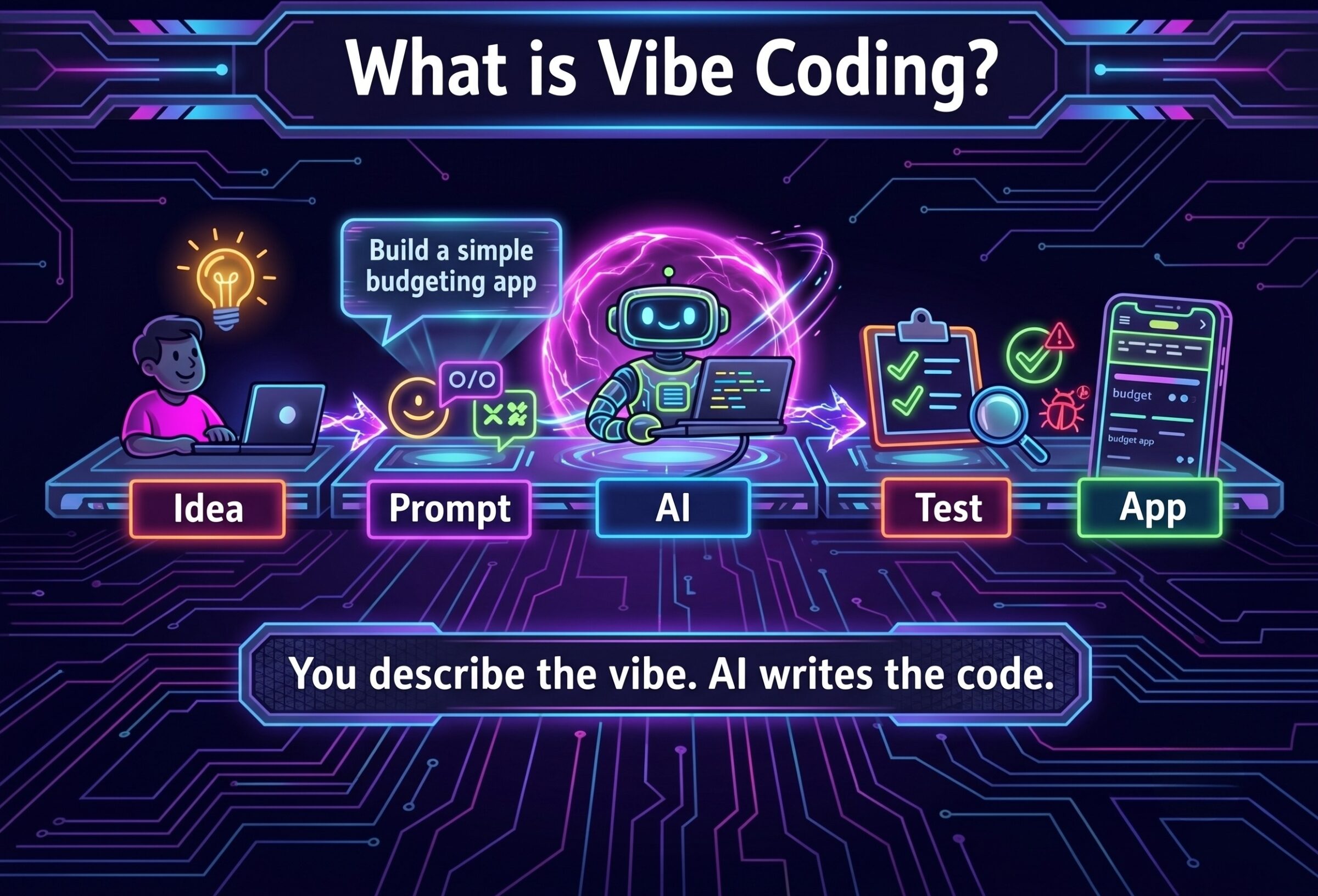
A neon-style infographic titled "What is Vibe Coding?" set against a dark, glowing circuit board background. A five-step flowchart illustrates the process left-to-right with glowing arrows: "Idea" (a person at a laptop with a lightbulb), "Prompt" (chat interface bubbles), "AI" (a robot surrounded by glowing energy processing code), "Test" (a checklist with a magnifying glass and bug), and "App" (a completed mobile application interface). At the bottom, glowing text reads, "You describe the vibe. AI writes the code." The color palette features vibrant neon blues, purples, pinks, and greens.

Vibe coding is a development approach where you describe what you want to build in natural language, and AI assistants generate the code for you. Instead of writing code yourself, you’re essentially having a conversation with an AI about your vision, then refining and iterating on what it creates.

This represents a fundamental shift in how software development works. Traditionally, developers spent their time writing code line by line—typing out every function, every variable, every conditional statement. With vibe coding, the developer’s role changes from being the writer to being the guide. You’re directing the AI, explaining what you need, reviewing what it produces, and steering it toward the right solution. The AI handles the actual code writing while you focus on the problem-solving and decision-making.

Think of it like this: traditional coding is like building furniture by hand with individual tools and materials. Vibe coding is like describing the furniture you want to an expert craftsperson who then builds it while you provide feedback and adjustments.

Now, I need to make an important distinction here. There are really two types of vibe coding:

“Pure” vibe coding is exploratory and experimental. You’re throwing ideas at AI, seeing what sticks, building throwaway prototypes to test concepts. This is perfect for side projects, learning, or rapid prototyping where code quality isn’t critical.

Responsible AI-assisted development is what professionals use for actual client work and production applications. You’re still using AI to generate code, but you’re reviewing it, understanding it, testing it thoroughly, and maintaining professional standards. The AI is your assistant, not your replacement.

Both are valuable, but knowing which approach you’re using makes all the difference in outcomes.

How Vibe Coding Actually Works

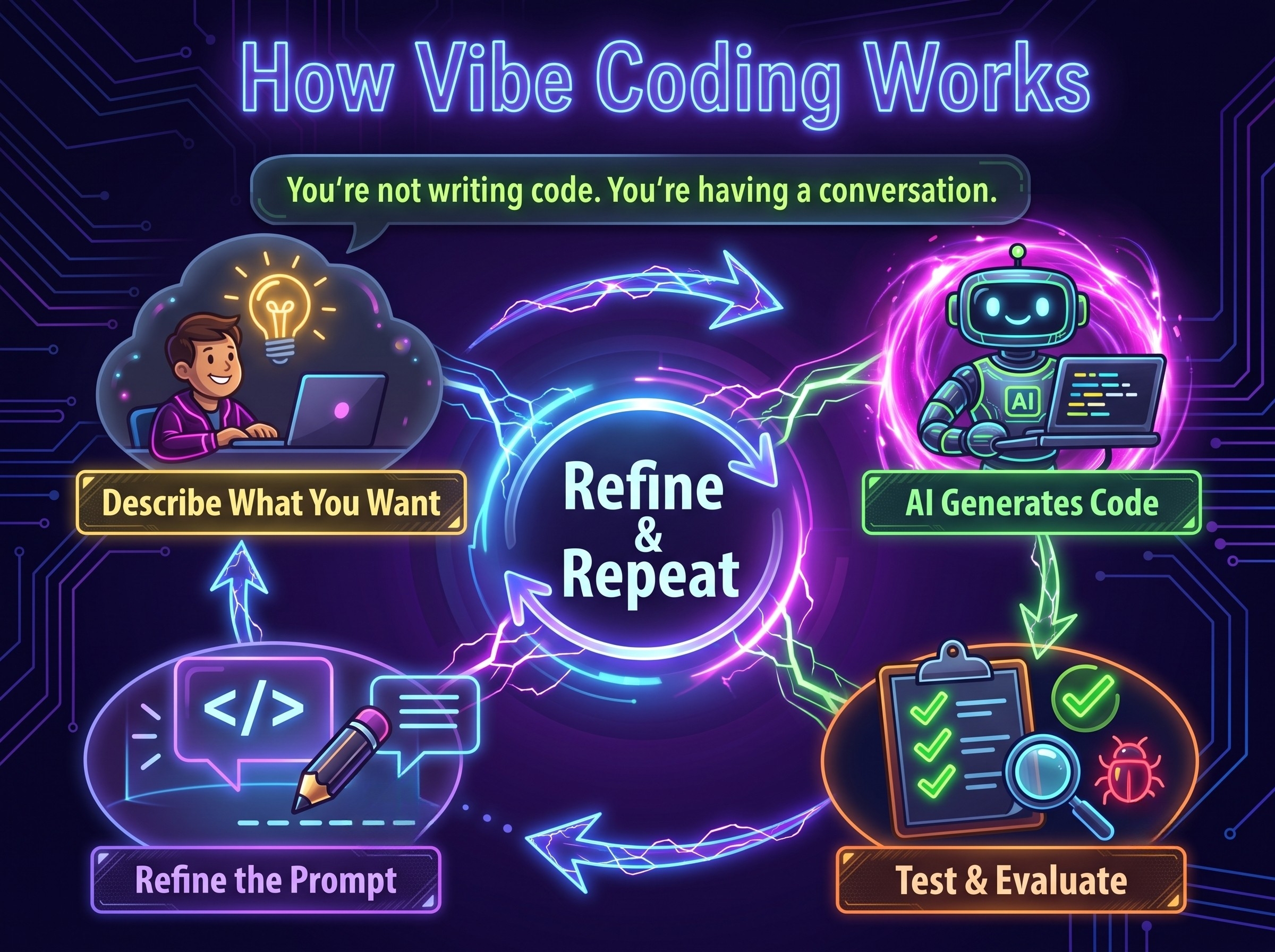
The vibe coding process follows a conversational loop that feels almost nothing like traditional programming. Here’s how it actually plays out:

Step 1: Describe what you want. You tell the AI what you’re trying to build using natural language. The more specific you are, the better the results.

Step 2: The AI generates code. Based on your description, the AI writes the initial code, sets up file structures, and even suggests libraries or frameworks.

Step 3: Test and evaluate. You run the code, test the functionality, and see how close it is to your vision.

Step 4: Refine and iterate. You provide feedback, point out issues, request changes, and the AI updates the code accordingly.

A modern neon-style infographic cycle titled "How Vibe Coding Works" on a dark, futuristic circuit background. It details the iterative human-AI collaboration process for software creation, with four key steps connected in a counter-clockwise loop: 'Describe What You Want', 'AI Generates Code', 'Test & Evaluate', and 'Refine the Prompt', connected to a central 'Refine & Repeat' core.

Let me give you a real example. Say you need a tool to automatically pull Instagram engagement metrics and format them for client reports. In the past, building something like this would take a developer 15-20 hours of work. Today, with vibe coding, you can have a working version in under two hours.

Here’s roughly how it goes:

Your prompt: “I need a Python script that uses the Instagram Graph API to pull engagement metrics for the last 30 days and export them to a formatted Excel spreadsheet with charts showing engagement trends over time.”

What the AI generates: A complete Python script with API authentication, data fetching logic, pandas for data manipulation, and openpyxl for Excel generation including basic charts.

What you refine: “The chart colors don’t match our brand. Use #2C5F8D for the primary color. Also, add error handling for when the API rate limit is hit, and include a progress indicator.”

Final result: A production-ready tool built in a fraction of the time traditional development would require.

The full application lifecycle for vibe coding looks like this: ideation (what problem are you solving?) → generation (AI creates initial code) → refinement (iterative improvements through conversation) → deployment (shipping to production with proper testing and review).

Vibe Coding vs. Traditional Programming

Understanding when to use vibe coding versus traditional programming is crucial. Here’s how vibe coding compares to traditional programming:

Aspect Vibe Coding Traditional Programming
Development Speed 5-10x faster for standard features Slower but more precise control
Required Expertise Basic technical understanding, strong problem-solving Deep programming knowledge, syntax mastery
Developer Role Product manager, reviewer, guide Hands-on builder, architect
Learning Curve Shallow—start building immediately Steep—months to years of learning
Best For Prototypes, internal tools, standard applications Complex algorithms, performance-critical systems, novel solutions
Code Quality Variable—depends on prompts and review Consistent with developer skill level
Debugging Can be challenging without code knowledge More straightforward with expertise

When deciding which approach to use, consider these factors:

Use vibe coding when:

  • You need something built quickly
  • The application is relatively standard (CRUD apps, dashboards, integrations)
  • You’re prototyping or validating ideas
  • Development resources are limited
  • You understand the domain even if you can’t code it yourself

Stick with traditional programming when:

  • Performance is absolutely critical
  • You’re building novel algorithms or unique solutions
  • Security requirements are extremely high
  • The codebase will need extensive long-term maintenance
  • You’re working on large-scale, complex systems

For most business applications and marketing tools, vibe coding wins hands down.

Vibe Coding vs. AI-Assisted Development

It’s also worth noting that you don’t have to choose pure vibe coding or traditional programming; you can also choose AI-assisted development, which is basically traditional coding with some help from AI.

Vibe coding sits at one end of the spectrum (fully conversational, AI generates entire features), traditional programming at the other end (hand-coding everything), and AI-assisted development falls somewhere in between (developers still write code but get AI suggestions and autocomplete).

Related approaches like no-code or low-code platforms exist as well, but they’re a different category entirely: these rely on drag-and-drop templates and visual builders rather than generating fully custom code through conversation with AI. They can be faster for simple apps, but much less flexible for complex or unique solutions.

Popular Vibe Coding AI Tools & Platforms

The vibe coding ecosystem has exploded over the past year. If you’re wondering what the best vibe coding AI tools are, here’s a breakdown of the major vibe coding AI tools and what they’re each good for:

Google AI Studio / Firebase Studio / Gemini Code Assist Google’s suite of vibe coding tools integrates beautifully if you’re already in their ecosystem. AI Studio is great for quick prototypes, Firebase Studio excels at full-stack applications with database integration, and Gemini Code Assist works within your existing IDE for code generation and assistance.

Replit This is where most people start with vibe coding. Replit’s interface is incredibly intuitive, and you can go from idea to deployed application without leaving the browser. Their AI agent handles everything from environment setup to deployment. Perfect for rapid prototyping and learning.

Cursor If you’re a developer who wants AI assistance within a professional code editor, Cursor is probably your best bet. It’s built on VS Code, so it feels familiar, but with powerful AI integration that can edit across multiple files and understand your entire codebase context.

GitHub Copilot More of a coding assistant than a pure vibe coding tool, but incredibly powerful for developers who want AI suggestions while they write. It autocompletes entire functions based on comments and context.

Claude Code A newer command-line tool that’s excellent for developers who live in the terminal. It’s particularly good at understanding complex codebases and making architectural decisions.

If you’re just starting, begin with Replit. Once you understand the fundamentals, you can experiment with the others based on your specific needs.

Real-World Applications: What You Can Build with Vibe Coding

Here’s where this gets exciting. We’re already using vibe coding at bgood media to build real tools that solve real business problems, fast. We can use vibe coding to build:

Business applications and internal tools: We’ve used vibe coding to spin up custom internal tools like lightweight CRMs, content production dashboards, and client reporting systems tailored to how we actually work. The kind of tools that replace $50–$200/month SaaS subscriptions — without forcing us into someone else’s workflow. Instead of adapting our processes to software, we build software around our processes. And we do it in days, not quarters.

Rapid prototypes for client projects: When a client comes to us with “what if we built…” energy, vibe coding lets us answer with “cool, let’s see it.”

We’ve used AI-assisted development to create working prototypes for new services, internal tools, and data workflows in hours instead of weeks. That means clients can validate ideas before committing serious budget to full-scale development. It’s faster feedback, lower risk, and way fewer expensive surprises.

Marketing automation tools: This is where vibe coding shines for marketing teams. We’ve built custom tools for things like:

  • Content planning and publishing workflows
  • SEO audits tailored to specific industries
  • Campaign tracking dashboards that pull from multiple platforms

Unlike bloated expensive marketing software, our AI marketing tools are built to do exactly what’s needed — nothing more, nothing less.

Custom integrations: Some of the most powerful use cases we’ve seen involve stitching systems together that were never meant to talk. With vibe coding, we’ve created tools that pull data from multiple sources, clean it, analyze it, and generate reports automatically — workflows that used to require a developer team, long timelines, and ongoing maintenance contracts.

And this isn’t just us experimenting on the fringes.

According to Y Combinator, 25% of their Winter 2025 batch had codebases that were 95% generated by AI. That’s not a future prediction; it’s happening right now. These are funded startups building real products that real customers use.

The Benefits of Vibe Coding for Businesses

Here’s why this matters for your business (TLDR: higher ROI):

Faster time-to-market: Development times are 5-10x faster than traditional coding for standard applications. Ideas that would’ve taken months can now ship in weeks or even days.

Lower barriers to entry: You don’t need to hire a full development team to build custom software anymore. Someone with business domain expertise and good communication skills can now build functional applications.

Democratization of development: Marketing teams can build their own tools. Operations managers can create custom dashboards. Sales teams can prototype new customer experiences. The power to create software is spreading beyond traditional engineering teams.

Significant cost savings: Traditional development might cost $50,000-$150,000 for a custom application. With vibe coding, you can build comparable solutions for 10-20% of that cost, especially if someone internal learns to do it.

Innovation enablement: When the cost and time to test ideas drops dramatically, you can experiment more. Multiple prototypes can be built and tested to discover what actually works.

For small to medium businesses especially, vibe coding levels the playing field. You can now build custom solutions that previously only enterprises with huge IT budgets could afford.

The Limitations & Challenges You Need to Know

Vibe coding is powerful, but it’s not perfect. Here are the challenges you need to understand:

Technical complexity for advanced use cases: When you need complex algorithms, intricate data structures, or highly optimized performance, AI-generated code often falls short. Complex projects may still require traditional developers.

Code quality and maintainability issues: AI sometimes generates code that works but is poorly structured, uses outdated patterns, or includes unnecessary dependencies. Without review and refactoring, technical debt builds up quickly.

Debugging difficulties: When something breaks in code you didn’t write and don’t fully understand, fixing it can be frustrating. Hours can be spent debugging AI-generated code that might have taken minutes with traditionally written code.

Security vulnerabilities: This one is serious. One cautionary example comes from the vibe coding platform Lovable: security researchers discovered that projects generated with Lovable were exposing sensitive data due to insufficient Row Level Security on database endpoints, highlighting the need to carefully review and secure AI-generated code (Matt Palmer, CVE-2025-48757).

When vibe coding is NOT appropriate:

  • Financial systems handling transactions
  • Healthcare applications with HIPAA requirements
  • Large-scale systems serving millions of users
  • Applications where downtime costs thousands per minute
  • Systems requiring custom algorithms or novel approaches

There’s also what some call the “vibe coding hangover.” It’s that moment when you realize the prototype built in two hours now needs to be production-ready, and you’re staring at AI-generated code you don’t fully understand. The key is building in time for review and refactoring from the start.

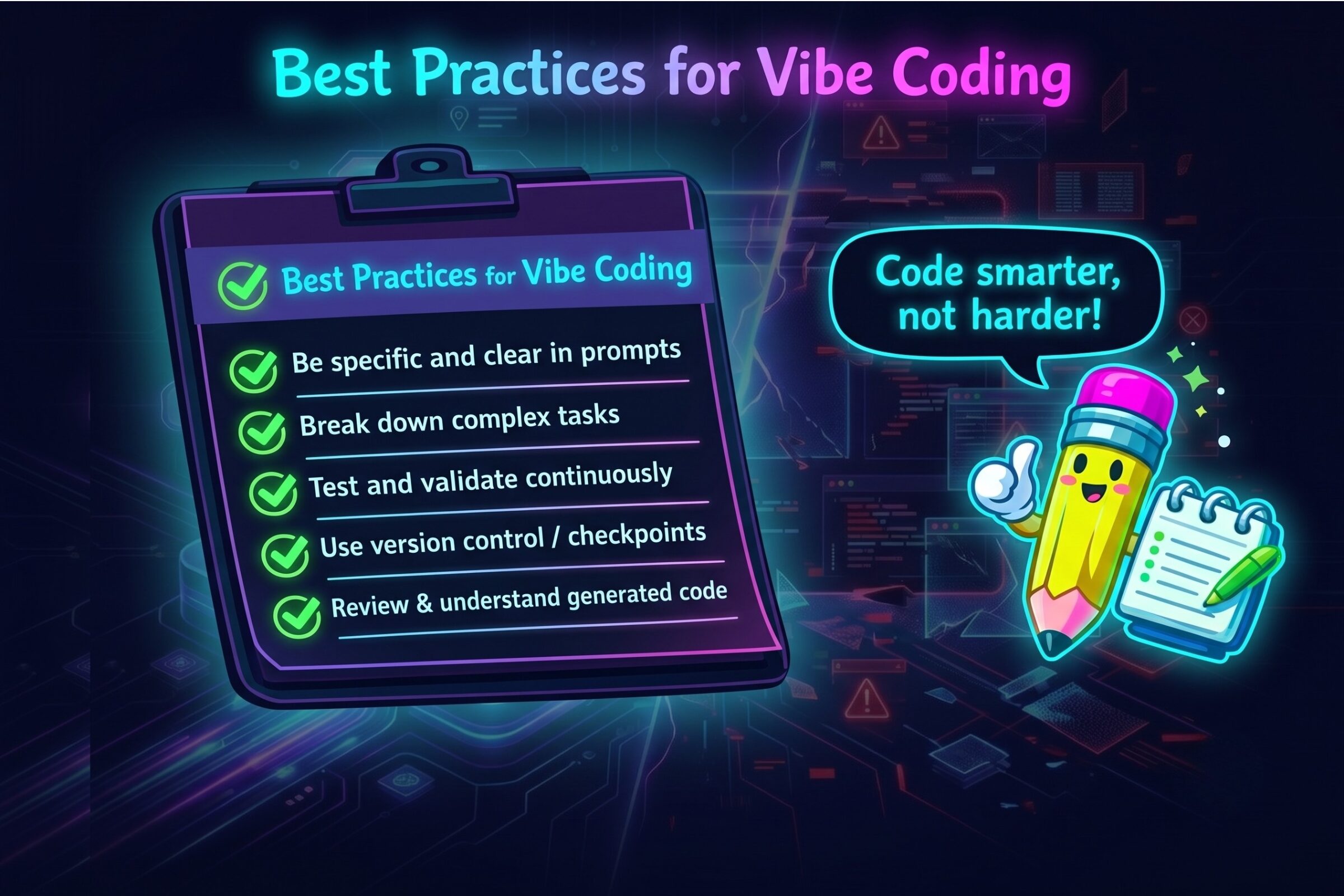
Best Practices for Effective Vibe Coding

Here’s what actually works when using vibe coding:

Be specific and clear in prompts. “Build a website” will get you garbage. “Build a landing page for a yoga studio with a hero section featuring a background video, three class package options with pricing cards, an instructor bio section with headshots, and a contact form that emails to studio@example.com” will get you something useful.

Break down complex tasks. Don’t ask the AI to build your entire application in one prompt. Build it piece by piece: first the data model, then the API endpoints, then the UI components, then the integration logic. This makes debugging much easier.

Test and validate continuously. Don’t wait until the AI has generated thousands of lines of code to test it. Test each component as it’s built to catch issues early.

Implement version control and checkpoints. Even with AI-generated code, use Git. Commit frequently. When something breaks (and it will), you want to be able to roll back to the last working version easily.

Review and understand generated code. You don’t need to understand every line, but you should understand the general approach, key functions, and data flow. If you can’t explain what the code does at a high level, you’re setting yourself up for problems.

A vibrant neon-style infographic featuring a cute cartoon pencil character giving a thumbs-up and a speech bubble reading "Code smarter, not harder!" Next to the character is a glowing checklist of five "Best Practices for Vibe Coding" on a dark digital background.

Security considerations:

  • Never trust AI with authentication code without review
  • Always sanitize user inputs
  • Use environment variables for sensitive data, never hardcode
  • Run security scans on generated code
  • Have a security-knowledgeable person review anything customer-facing

Successful vibe coders treat AI as a junior developer who’s incredibly fast but needs supervision, not as a senior architect who can be trusted blindly.

The Future of Vibe Coding & What It Means for Your Business

The future of software development isn’t just for developers anymore. It’s for anyone with good ideas and the willingness to learn.

Here’s where vibe coding/AI-assisted development is headed:

Multimodal programming is already emerging. Instead of just typing descriptions, we’re starting to see vibe coding that accepts sketches, screenshots, voice commands, and even video demonstrations. Imagine drawing a UI mockup on a napkin, taking a photo, and having AI generate the working application.

The evolution toward VibeOps means AI won’t just generate code—it’ll manage deployments, monitor performance, auto-scale infrastructure, and even debug production issues. We’re moving from “AI helps you code” to “AI manages your entire technical stack.”

Developer roles are shifting. The role isn’t disappearing, but it is changing. Developers are becoming architects, reviewers, and system designers rather than syntax writers. The valuable skill is knowing what to build and how systems should work together, not memorizing programming language syntax.

What businesses should prepare for:

  • Everyone needing to understand the tech, not just developers
  • Faster innovation, which means making decisions quickly and iterating often
  • Using software as a growth and strategy tool, not just a task manager
  • Teams creating their own custom tools instead of waiting on IT

Within three years, most business software will be at least partially AI-generated (you’ll be seeing a lot more AI-generated websites, too). The companies that learn to leverage vibe coding now will have a massive advantage over those who wait.

Frequently Asked Questions

Is vibe coding the same as AI coding? Vibe coding is a type of AI coding. The term specifically refers to describing what you want in natural language and having AI generate complete applications, rather than line-by-line coding assistance.

Do I need to know how to code to use vibe coding? Not necessarily, but basic technical understanding helps. You should understand concepts like variables, functions, databases, and APIs even if you can’t write them from scratch.

What skills are needed for vibe coding? You need a basic understanding of how software works, clear communication skills to explain what you want, and enough technical judgment to review, test, and refine AI-generated code. You don’t need to be an expert programmer—but you do need to know when something works, when it doesn’t, and how to guide the tool in the right direction.

Can you vibe code with ChatGPT or Claude? Yes, but with limitations. Chat interfaces can generate code snippets but aren’t full vibe coding platforms. For serious vibe coding, you’ll want dedicated platforms like Replit or Cursor that can execute and deploy code.

Is vibe coding suitable for production applications? It depends. For standard business applications and internal tools, yes—with proper review and testing. For critical systems handling sensitive data or high-traffic applications, use vibe coding cautiously with expert review.

Will vibe coding replace developers? No. Developers are becoming more productive and focusing on harder problems. Meanwhile, non-developers are building things they never could before. The demand for software is growing faster than AI can replace human developers.

Getting Started with Vibe Coding

The best way to understand vibe coding is to try it. Start small, be patient with the learning curve, and don’t expect perfection immediately.

Your next steps:

  1. Create a free account on Replit and build something simple—a simple website, a to-do app, anything that interests you
  2. Start with a clear, specific goal rather than a vague idea
  3. Test early and often, catching issues before they compound
  4. Join communities where people share prompts and solutions
  5. Build something real that solves an actual problem you have

The technology is accessible, powerful, and improving rapidly. The businesses that figure out how to leverage AI-assisted development now will be miles ahead of competitors still doing things the old way.

At bgood media, we’re already using vibe coding to build internal tools, prototype new services, and create custom solutions for clients faster than traditional development ever allowed. It’s become a core part of how we experiment, iterate, and turn ideas into working products without waiting months to see what’s possible.

Want to explore how AI-assisted development could transform your business? We’re always happy to talk about what’s possible. The question isn’t whether vibe coding will change how software gets built—it’s whether you’ll be ready when it does.

Reach out today and let’s see if we vibe!

How Do Marketing Channels Work Together? The Complete Guide to Integrated Marketing

Most businesses are not under-marketing. They are marketing in pieces.

Marketers estimate that 26% of marketing budgets go to waste, often because channels aren’t talking to each other. Your SEO team doesn’t know what paid search is bidding on. Your social media manager hasn’t seen the email calendar. Your content creator has no clue what’s actually converting in ads.

Meanwhile, your customers don’t experience your brand by channel; they experience it as a journey. They might discover you via organic search, see a paid ad a few days later, click through a blog shared on social, and finally convert after encountering your brand in an AI-generated answer. If those touchpoints aren’t connected, trust weakens … and so do results.

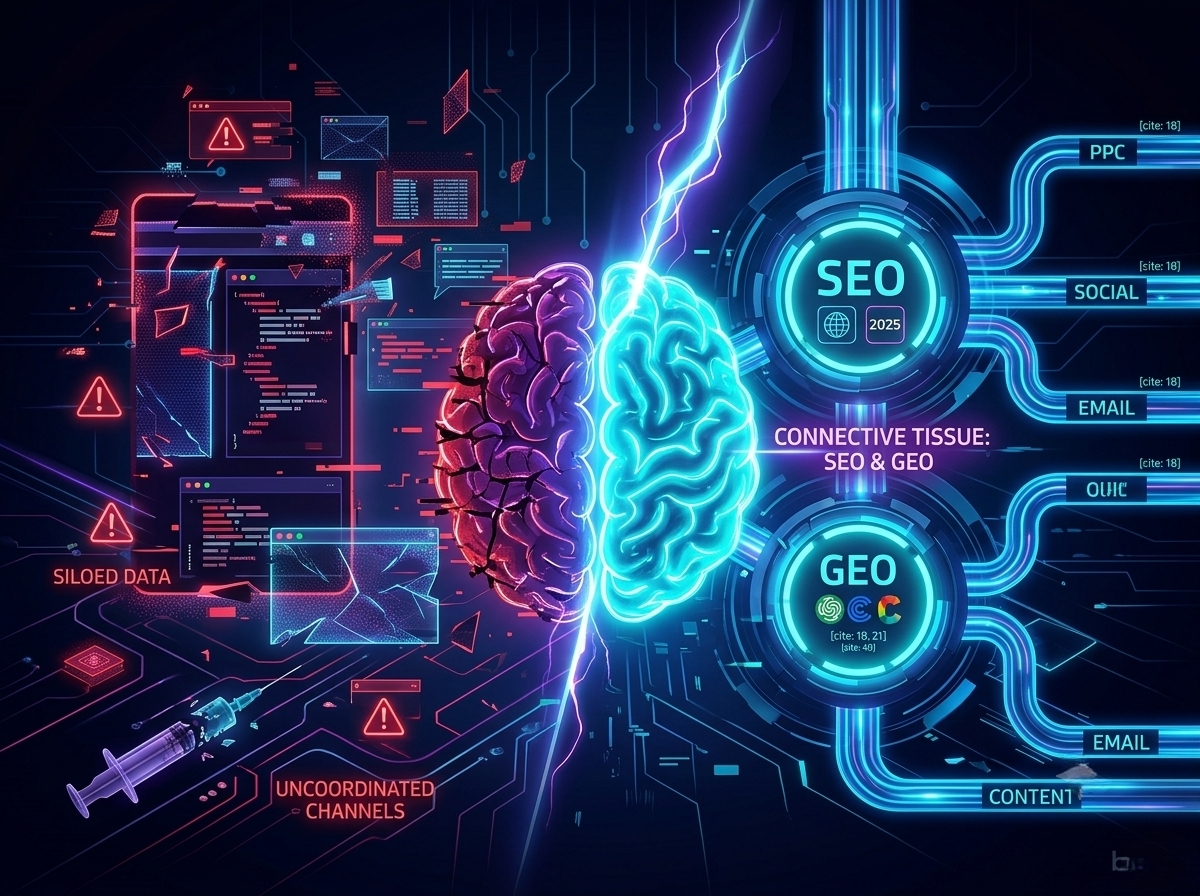
The fix isn’t throwing more money at more channels, it’s integration. At the heart of that integration are SEO and GEO (generative engine optimization), working together as the connective tissue that ties every marketing channel into a cohesive system.

In this guide, I’ll walk you through how marketing channels should work together, why integrated and omnichannel strategies outperform siloed efforts, and how to build a system where every channel strengthens the others.

What Are Marketing Channels?

A marketing channel is any medium through which your brand communicates with potential or existing customers.

That typically includes organic search (SEO), generative engine optimization (GEO), paid search (PPC), social media (organic and paid), email marketing, content marketing, public relations, affiliate marketing, and AI-powered answer engines like ChatGPT, Perplexity, and Claude.

Each channel plays a different role:

  • SEO captures demand when people actively search for solutions.
  • GEO increases visibility inside AI-generated answers.
  • Paid search provides immediate reach.
  • Social builds familiarity and trust.
  • Email nurtures direct relationships over time.

In the past, these channels operated in silos because organizations were structured that way. The SEO specialist reported to one manager, paid media to another, social to a different department. Each had separate budgets, different KPIs, and rarely communicated. Technology reinforced this fragmentation, i.e., the tools didn’t talk to each other.

This siloed approach is now genuinely harmful

Customers do not think in channels. They think in problems, questions, and solutions. They expect consistency whether they meet your brand through a Google search, an Instagram ad, an AI response, or an email in their inbox.

The Evolution: Multi-Channel → Cross-Channel → Omnichannel
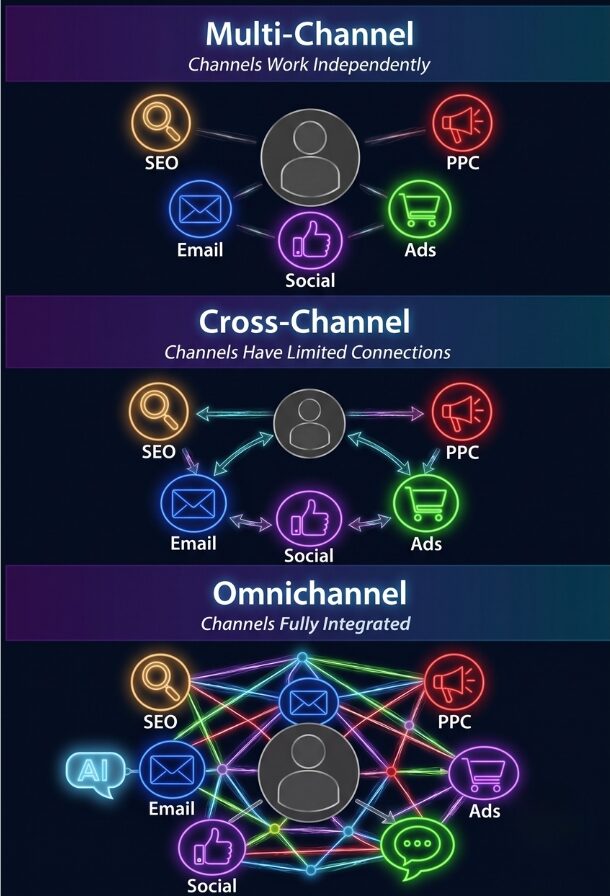
Diagram comparing Multi-Channel, Cross-Channel, and Omnichannel marketing strategies and their level of channel integration.

Not all “multi-channel” strategies are created equal.

Multi-channel marketing means you’re present on multiple channels, but they operate independently. You have a website, social media, email program, and paid ads, but they don’t coordinate. Your Facebook content doesn’t reference your email campaigns. Your paid ads land on pages without regard to SEO strategy. Customers experience your brand differently depending on which channel they encounter.

Cross-channel marketing represents an advancement where channels acknowledge each other. Your email campaign mentions your social media. Your paid ads and organic content target complementary keywords. There’s coordination, but it’s superficial. Each channel still operates primarily for its own metrics.

Omnichannel marketing is the gold standard: a fully integrated, customer-centric approach where channels work together as a unified ecosystem. A customer who clicks an Instagram ad and doesn’t convert receives a remarketing ad referencing that specific product. When they visit organically later, they see personalized content based on previous interest. If they sign up for email, the welcome sequence acknowledges their journey.

This distinction matters. Research consistently shows that omnichannel campaigns drive significantly higher purchase rates and customer lifetime value compared to single-channel or loosely connected approaches.

Why Marketing Channels MUST Work Together

Here’s a jaw-dropper: companies with strong omnichannel strategies retain 89% of their customers, compared to just 33% for those with weak channel integration. That alone should get your attention—but the benefits don’t stop at retention.

When your channels work together, campaigns perform better and customer acquisition costs drop. Why? Because integration cuts waste. You’re not paying twice for the same message or competing with yourself across channels.

Modern customers expect seamless journeys. They want brands to “get them” no matter where they interact—Instagram, Google search, email, or even AI tools. In fact, 73% of retail shoppers use multiple channels before making a purchase.

Without integration, attribution suffers. You might spend heavily on paid search for keywords you already rank for organically, or show social ads to people who are already on your email list. That’s money literally slipping through your fingers.

But when channels share data, everything clicks. Your email platform can tell your ad platform who’s already converted, preventing wasted spend. SEO insights can guide paid campaigns toward keywords that actually convert. Social listening can feed your content calendar, ensuring your posts answer real questions your audience is asking.

In short: connected channels don’t just save money: they make every marketing dollar work harder.

SEO & GEO: The Connective Tissue of Modern Marketing

Think of SEO and GEO not as channels per se, but as the glue that connects everything in your marketing ecosystem. And for companies that previously only paid attention to SEO, incorporating GEO is game-changing. Here’s why SEO and GEO are critical to your marketing strategy:

SEO’s role extends far beyond ranking on Google.  When you do keyword research, you’re learning the exact language your customers use to describe their problems and solutions. That insight should guide your paid ads, social captions, email subject lines, video titles, and even sales presentations. In other words, SEO research is basically market research.

SEO content also feeds social and community strategies. A blog post optimized for search can become social content, spark discussions, or fuel community engagement. Videos optimized for YouTube can be shared on LinkedIn, Instagram, or TikTok. And content that performs well organically? It’s already been validated by your audience.

Paid campaigns get smarter with SEO data. See which keywords convert best organically? Prioritize them in paid campaigns. Notice which content formats resonate? Allocate ad budget accordingly. It’s a multiplier effect.

Now let’s talk GEO (Generative Engine Optimization). As AI tools like ChatGPT, Claude, Perplexity, Microsoft Copilot, and Google AI Overviews change how people find information, GEO is becoming just as important as SEO. GEO ensures your content shows up in AI-generated answers when people ask questions in your field. For instance, someone asking ChatGPT “What’s the best email marketing platform for small businesses?” could see your brand recommended—and that shapes perception and decisions.

SEO and GEO work best together. Well-structured, authoritative, and clearly cited content that performs for SEO also does well in GEO. AI tools reward content that’s expert, accurate, and comprehensive—basically the same principles that make SEO succeed.

GEO does have its own nuances, which you need to pay attention to. People ask questions differently in AI than they type into Google. GEO content should focus on conversational queries, cite authoritative sources, use structured data, and include FAQ-style content.
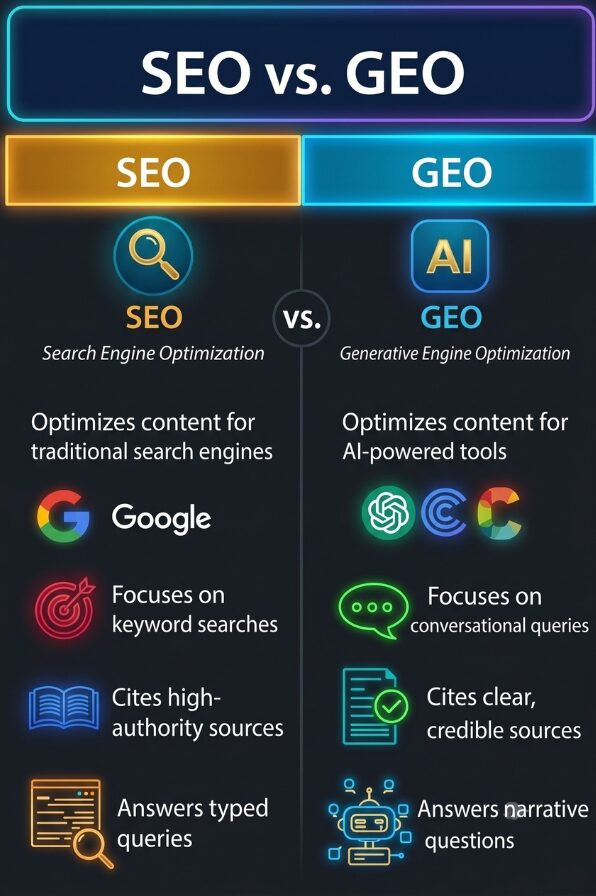
A high-resolution, dark-background neon-style infographic that contrasts SEO (Traditional Search Engine Optimization) with GEO (Generative Engine Optimization). The left column (SEO, gold/orange) and the right column (GEO, cyan/blue) feature clear headers and descriptive bullet points with specific, improved icons and explicit, labeled context.

How Paid and Organic Channels Amplify Each Other

I touched on this a little bit earlier, but let’s take a closer look at the relationship between paid and organic channels. When you combine the two, it creates a multiplier effect that dramatically outperforms either approach in isolation:

Using PPC data to inform SEO strategy gives immediate feedback on which keywords convert, which messaging resonates, and which landing page elements drive action. Smart marketers run PPC campaigns on keywords they’re considering for SEO investment, analyze conversion data, then double down on SEO for winners. You can test dozens of headline variations in paid ads, identify top performers, then use those headlines in your SEO title tags.

SEO rankings lower PPC costs. When you rank organically for a keyword, you might still run paid ads to dominate the search results page. However, Google’s Quality Score algorithm considers landing page relevance and user experience—factors improved when your page ranks organically. Higher Quality Scores mean lower cost-per-click and better ad positions.

Retargeting based on organic traffic behavior is extraordinarily effective because you’re targeting people who’ve already demonstrated genuine interest by finding you organically. Someone who discovers your blog post through search, reads it, but doesn’t convert shows high-intent behavior. Retargeting them with paid ads referencing the content they consumed drives conversion rates 2-3x higher than cold traffic.

Social proof from organic content boosts paid performance. When you run paid ads promoting content already performing well organically—content with thousands of shares and strong engagement—the social proof transfers to the ad.

Testing messaging in paid before committing to SEO is smart resource allocation. SEO requires significant investment in content creation. Paid ads let you test value propositions, messaging angles, and positioning strategies quickly. Run five different ad variations emphasizing different benefits. The winner becomes the messaging foundation for your SEO landing page.

Content Marketing as the Fuel

If SEO and GEO are the connective tissue, content is the fuel that feeds the whole body.

One piece of strategically developed content feeds multiple channels simultaneously. Consider a comprehensive research report. The full report lives on your website, optimized for SEO. The executive summary becomes a LinkedIn article. Key statistics become social media graphics. The methodology section becomes a YouTube video. Interesting findings become email content and ad copy. The research gets cited when AI assistants answer questions about your topic. That’s one content asset serving multiple channels.

Start with a pillar piece: a comprehensive guide, original research, detailed case study, or in-depth tutorial optimized for both SEO and GEO. Then atomize it into channel-specific formats. A 3,000-word guide becomes 15 social posts highlighting key takeaways, a video teaser, five email segments, three podcast topics, ten paid ad variations, and five guest article pitches.

The strategic advantage is efficiency and consistency. You’re not creating entirely different content for each channel—you’re creating strategically important content once and distributing it intelligently everywhere. This reduces production costs while increasing output and ensuring messaging consistency.

Email, Social, and Community: The Engagement Triangle

Now let’s take a look at how to use your channels to drive engagement. Email marketing, social media, and community building form an engagement triangle, where each channel feeds and strengthens the others. 

Creating new content all the time is a ton of work, but with a good engagement triangle, cross-promotion and audience participation help sustain momentum without constant new production.

Here’s how:

Growing email lists from social following: Sticky social media content attracts followers. Those followers see posts consistently, building trust. You create content designed to convert social followers to email subscribers (lead magnets, free resources, templates, etc.). A compelling Instagram post might promote a free template. A LinkedIn post might promote gated research.

Amplifying email content on social: Your email newsletter contains valuable insights that become social content. You can share snippets from your newsletter with a call-to-action to subscribe. If an email topic drove high engagement, that signals strong interest for more social content on that theme.

Building community through both channels: A LinkedIn community discussing industry topics becomes a source of email content—questions asked become newsletter topics. Email subscribers become community advocates. Active community members receive special recognition in emails, strengthening loyalty.

Essentially, a good synergy between email marketing and social creates a user-generated content loop to promote your brand organically.

Data Integration: The Technology Behind Channel Synchronization

The back-end of your marketing channels (data) is just as important as the front-end that customers see (content). True omnichannel marketing requires that all your data systems talk to each other:

Customer relationship management (CRM) systems are the backbone of everything. Your CRM should act as a single source of truth, capturing every interaction a customer or prospect has with your brand—site visits, email clicks, social engagement, chats, and purchase history. When all that data lives in one place, it’s much easier to personalize messaging and keep marketing and sales aligned. Tools like Salesforce, HubSpot, and Microsoft Dynamics can do this well when they’re set up thoughtfully.

Marketing automation tools build on that foundation by responding to behavior in real time. For example, when someone downloads an ebook, they can automatically enter an email nurture flow, start seeing relevant ads, and trigger a heads-up to sales if they show strong buying signals. The goal isn’t more automation—it’s more relevant, timely touchpoints.

Attribution modeling helps you understand how all those channels actually work together. Relying on last-click attribution gives all the credit to the final step and ignores the earlier content, SEO, or ads that warmed someone up. Multi-touch attribution spreads credit across the journey, giving you a more honest picture of what’s really driving results.

Customer data platforms (CDPs) solve the identity puzzle. They connect anonymous site visitors with known email subscribers, social followers, and eventually paying customers. By pulling in data from multiple sources and stitching it together into unified profiles, CDPs make that information available to your marketing tools in real time.

Finally, privacy matters more than ever. Clear consent and responsible data collection aren’t optional. That’s why first-party data, information customers knowingly share with you, has become so valuable. Your email list, website behavior, customer profiles, and community data are assets you own, can use ethically, and don’t depend on third-party tracking that’s increasingly restricted.

Creating an Omnichannel Marketing Strategy: A Step-by-Step Approach

Creating an omnichannel marketing strategy requires a systematic approach. Here’s what I recommend:

Step 1: Audit your current channels
Take stock of everything—SEO, paid ads, social, email, content, PR, and more. Note budgets, tools, key metrics, and performance. Which channels drive awareness, engagement, and conversions? Which bring in revenue most efficiently? Understanding your starting point is essential.

Step 2: Map the customer journey
Follow your customers across channels. Use analytics, CRM data, and customer interviews to see how people discover and engage with your brand. Do they start on Google, click a paid ad, then see a social post before converting? Knowing the typical journey helps you spot opportunities to connect the dots.

Step 3: Spot integration opportunities
Look for places where channels can support each other. Is your blog driving traffic but not conversions? Boost top posts with paid ads. Is email engagement strong but your list small? Use social campaigns to drive sign-ups. Focus on combinations that multiply results.

Step 4: Align messaging and goals
Create a unified message architecture—define brand positioning, key differentiators, and tone of voice. Set goals around business outcomes, not just channel metrics. Instead of separately tracking email opens, ad impressions, and social likes, measure how channels together generate leads and sales.

Step 5: Set up tracking and attribution
Make sure every touchpoint is tracked consistently. Connect your CRM, marketing automation, and analytics so data flows seamlessly. Use multi-touch attribution to see how each channel contributes to conversions. Dashboards that combine all channels make it easier to spot what’s working.

Step 6: Build a cross-channel content calendar
Plan content across all channels at once. Start with strategic content pillars optimized for SEO and GEO. Then map derivatives: which posts go on social, what email sequences stem from the content, and which pieces get paid amplification. One core asset can fuel multiple channels.

Step 7: Test, measure, and optimize
Launch your integrated campaigns, track results, and adjust as needed. Experiment with different channel combinations and attribution models. Learn from both wins and misses. The goal is continuous improvement, not perfection on day one.

The Future: AI, GEO, and Smarter Channel Integration

Marketing integration is evolving fast, thanks to AI, changing consumer habits, and new platforms. Here’s what I expect we will see going forward:

AI takes the wheel

Instead of manually coordinating campaigns, AI can now optimize them in real time. It analyzes performance across all channels, identifies the best combinations for each audience segment, adjusts budgets automatically, and personalizes experiences at every touchpoint. Think of it as a smart conductor keeping all your marketing instruments in perfect harmony.

SEO and GEO: equally essential

SEO and GEO now work hand-in-hand to ensure your brand is discoverable everywhere people look. SEO drives organic visibility in search results, while GEO ensures your content shows up in AI-generated answers on ChatGPT, Claude, Perplexity, Google AI Overviews, and similar platforms. Together, they expand your reach, influence perceptions, and make your content adaptable across both traditional and AI-powered discovery.

Predictive optimization is coming

Machine learning can forecast which channel combos perform best, letting you plan proactively instead of guessing. Historical data helps you anticipate what works for specific goals, so campaigns are smarter from the start.

Hyper-personalization at scale

AI lets you deliver unique experiences to each customer. Individual journeys can include personalized emails, dynamic website content, custom-targeted ads, and relevant social messages—all coordinated seamlessly.

What to focus on now

  • Invest in data infrastructure for real-time access across channels.
  • Build strong SEO and GEO foundations. Content created today pays off across all future channels.
  • Strengthen your team’s AI and machine learning skills.
  • Embrace testing and learning. Perfection comes later, agility comes first.

Real-World Examples: Brands Doing It Right

Looking at successful brands that nail integrated marketing reveals patterns you can use for your own strategy. Whether B2B or B2C, the principles hold.

Sephora

Sephora’s omnichannel game is next-level. Their Beauty Insider program connects in-store and online seamlessly. Customers can browse on mobile, save favorites, get personalized recommendations, check inventory, and book services—all in one app. Emails reference both online and in-store behavior, and social posts link directly to purchase options. These smart strategies drive results: Beauty Insider members account for over 80% of Sephora’s annual sales

  • Tactics to note: unified customer profiles, location-based push notifications, AR try-on features, user-generated content integrated across channels, and post-purchase email campaigns. 

Slack

Slack shows how B2B can thrive with integrated content. Their guides and blog posts rank organically for key terms like “team communication tools,” then get repurposed for social, email, paid campaigns, and even AI answers. Slack’s site continues to attract significant organic search traffic, with analytics tools showing around 5–6 million visits from organic search each month, giving its content and product pages strong discoverability without relying solely on paid ads.

  • Key lesson: SEO and GEO-optimized content becomes a cross-channel asset, reducing acquisition costs while building authority.

Amazon

Amazon’s omnichannel marketing is all about behavioral data. Personalized emails, dynamic web content, retargeting ads, Alexa integrations, and Prime loyalty benefits all share customer data. Sure, Amazon is a Goliath that isn’t exactly relatable for most businesses. However, smaller brands can still benefit from incorporating some of their omnichannel strategies.

  • Market like Amazon: Use behavioral triggers for abandoned carts, recommend products across channels, unify customer data, and personalize messaging.

Takeaways Across Brands

  • Unified customer data accessible across channels
  • One piece of content distributed strategically
  • Behavior on one channel informs messaging on others
  • Teams organized around customer journeys, not channels
  • Executive-backed commitment to integration

Common Integration Pitfalls (And How to Avoid Them)

Even companies committed to integration stumble. Recognizing these pitfalls early can save time, money, and headaches.

  1. Messaging isn’t unified. Different teams often use conflicting messages, offers, or tones. Solution: create a central message architecture, set up approval workflows, and hold regular alignment meetings.
  2. Teams work in silos. SEO, paid, social, and email teams reporting separately create misaligned priorities. Solution: organize cross-functional pods responsible for specific customer journeys. Measure qualified leads or revenue, not channel-specific vanity metrics.
  3. Inconsistent data & tracking. Different UTM parameters, analytics setups, or conversion definitions make channel performance hard to analyze. Solution: set unified tracking standards, use tag managers like Google Tag Manager, and assign a data steward.
  4. Missing attribution models. Defaulting to last-click attribution undervalues top-of-funnel channels like SEO, content, and social. Solution: start with linear multi-touch attribution, then refine to time-decay or position-based models. This helps optimize budget allocation and reveals true channel contribution.
  5. Technology doesn’t talk. Disjointed tools mean manual work, duplication, and limited personalization. Solution: audit your tech stack, prioritize integrations, use platforms like Zapier, and assign ownership of martech strategy.

Example in Action:

A mid-market SaaS company had fragmented messaging: SEO focused on “workflow automation,” paid ads said “business process management.” Teams didn’t sync, UTM codes were inconsistent, and last-click attribution caused friction over budgets. By implementing weekly cross-functional check-ins, unified messaging guidelines, standardized UTMs, and multi-touch attribution, they increased qualified leads by 34% without spending more.

Conclusion: From Siloed to Synchronized

Moving from fragmented marketing to a fully integrated strategy takes focus, but it’s worth it. It means thinking about customer journeys instead of channels, setting up the right tech for data sharing, and shifting your team culture from optimizing channels to optimizing experiences. The alternative—keeping disconnected channels while customers expect seamless interactions—just doesn’t cut it anymore.

Here’s what to keep in mind:

  • SEO and GEO are your glue. They tie all channels together.
  • Content fuels everything. What you create for organic search powers social, email, ads, and more.
  • Start small, think big. You don’t have to integrate everything at once. Begin by connecting top-performing SEO content to paid campaigns, syncing email with ad retargeting, or coordinating social and email around one product launch. Each win teaches you something about process, tech, and strategy—and builds momentum.

At bgood media, we help brands make this leap. We combine expertise in SEO, GEO, and integrated digital marketing to create systems where content, paid, organic, and engagement channels work together as one. What do clients get from our approach? Smoother customer experiences, better business outcomes, and marketing that actually moves the needle.

Ready to turn your marketing channels from disconnected silos into a seamless, omnichannel experience? Let’s build a strategy where SEO, GEO, content, and paid campaigns all work together to drive real results. Reach out today!